
Professional Services Financial Model


$ 75
The fully upgraded Professional Services or Agency Financial Model is a comprehensive tool designed for businesses’ billing time. It includes projections for five years, covering income statements, balance sheets, cash flow statements, CapEx, and an upgraded cap table. Fully customizable, it supports scenario planning, revenue forecasts, professional types, fixed and variable costs, and investor equity calculations. Ideal for agencies and firms like law or CPA practices, this model is perfect for financial planning and scaling.
This comprehensive, fully upgraded Professional Services Financial Model is designed specifically for businesses that rely on professionals billing their time.
- With robust features, including detailed financial statements, projections, and advanced calculations, this model is ideal for agencies and professional firms such as law firms or CPA practices.
Here’s a breakdown of the key sections in the model:
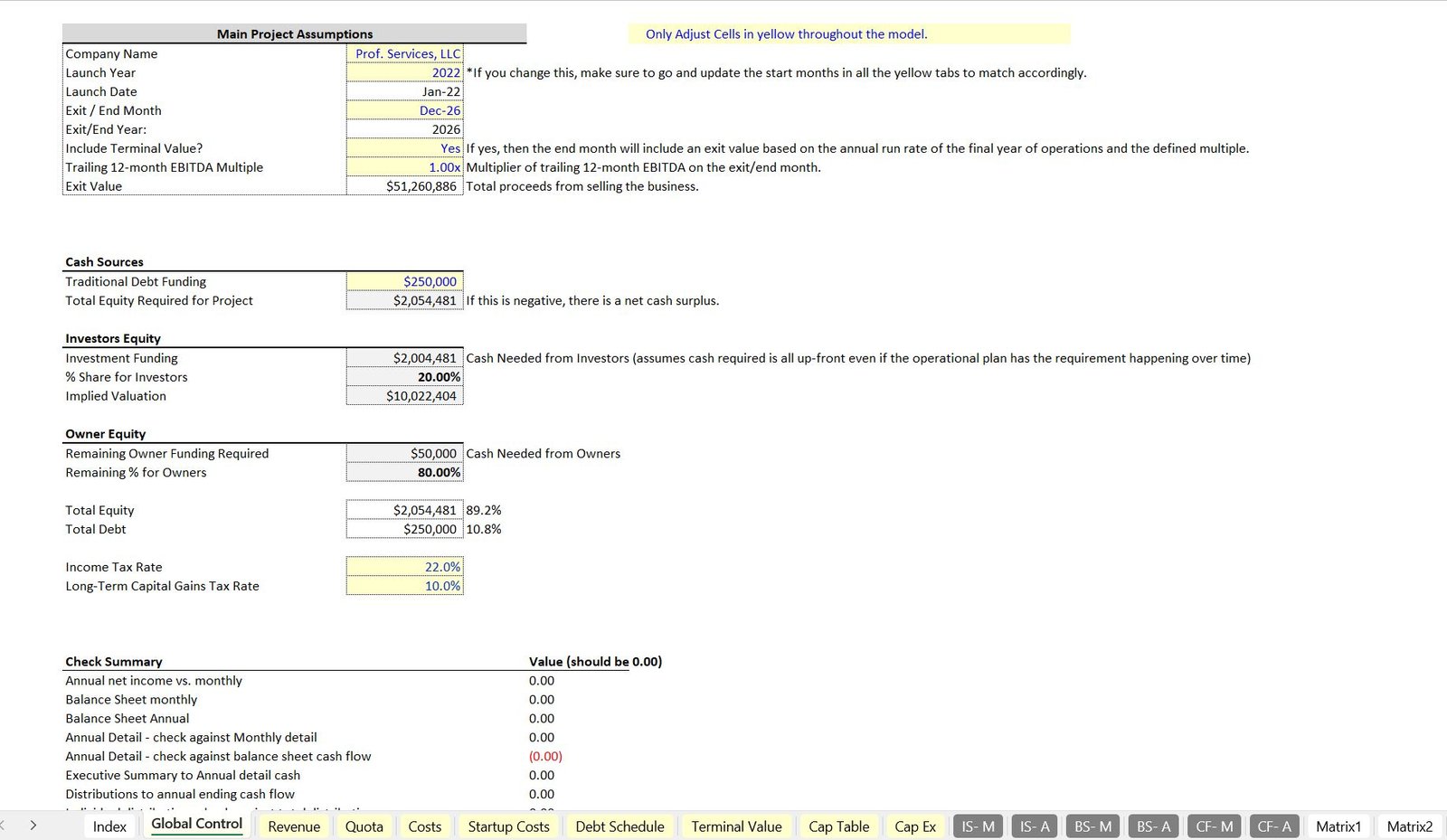
1. Global Control Tab
The Global Control Tab allows you to define key business parameters such as:
- Business name
- Launch year
- Start and end months for the forecast period
You can specify a forecast duration shorter than five years by selecting an earlier end month. A terminal value can also be included, calculated based on the trailing 12-month EBITDA multiplied by a chosen multiple. This value flows through the financial statements to provide a valuation.
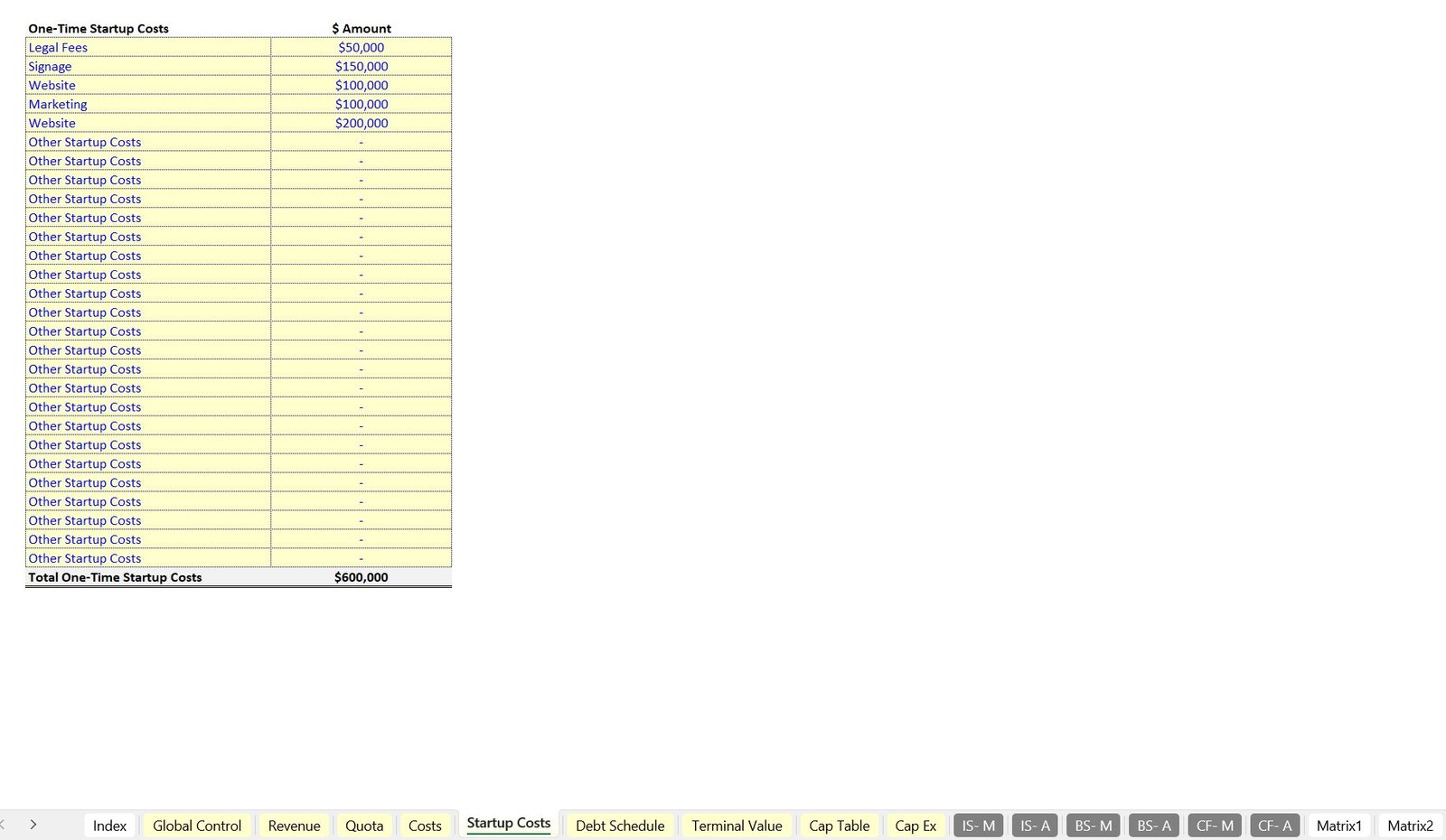
This tab also defines cash sources, including debt and equity, and ensures that the model calculates the remaining equity needed to maintain a zero or positive cash balance after accounting for startup costs and burn. Tax rates can be specified or set to zero if taxes are to be excluded.
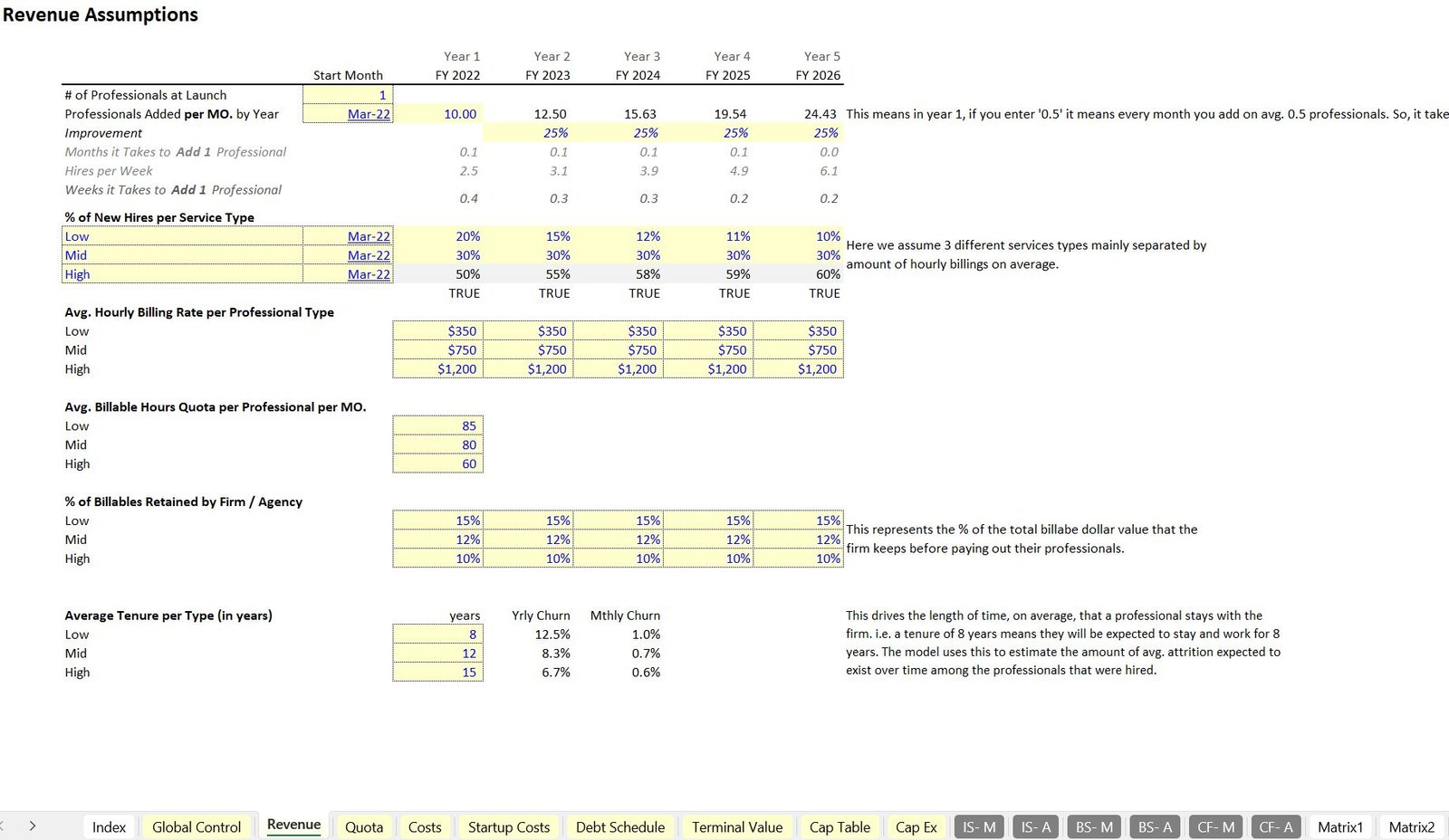
2. Revenue Tab
The Revenue Tab is the core of the model, where you can define and manage:
- Number of professionals at launch
- Start month for billable activities
- Monthly additions of professionals over time
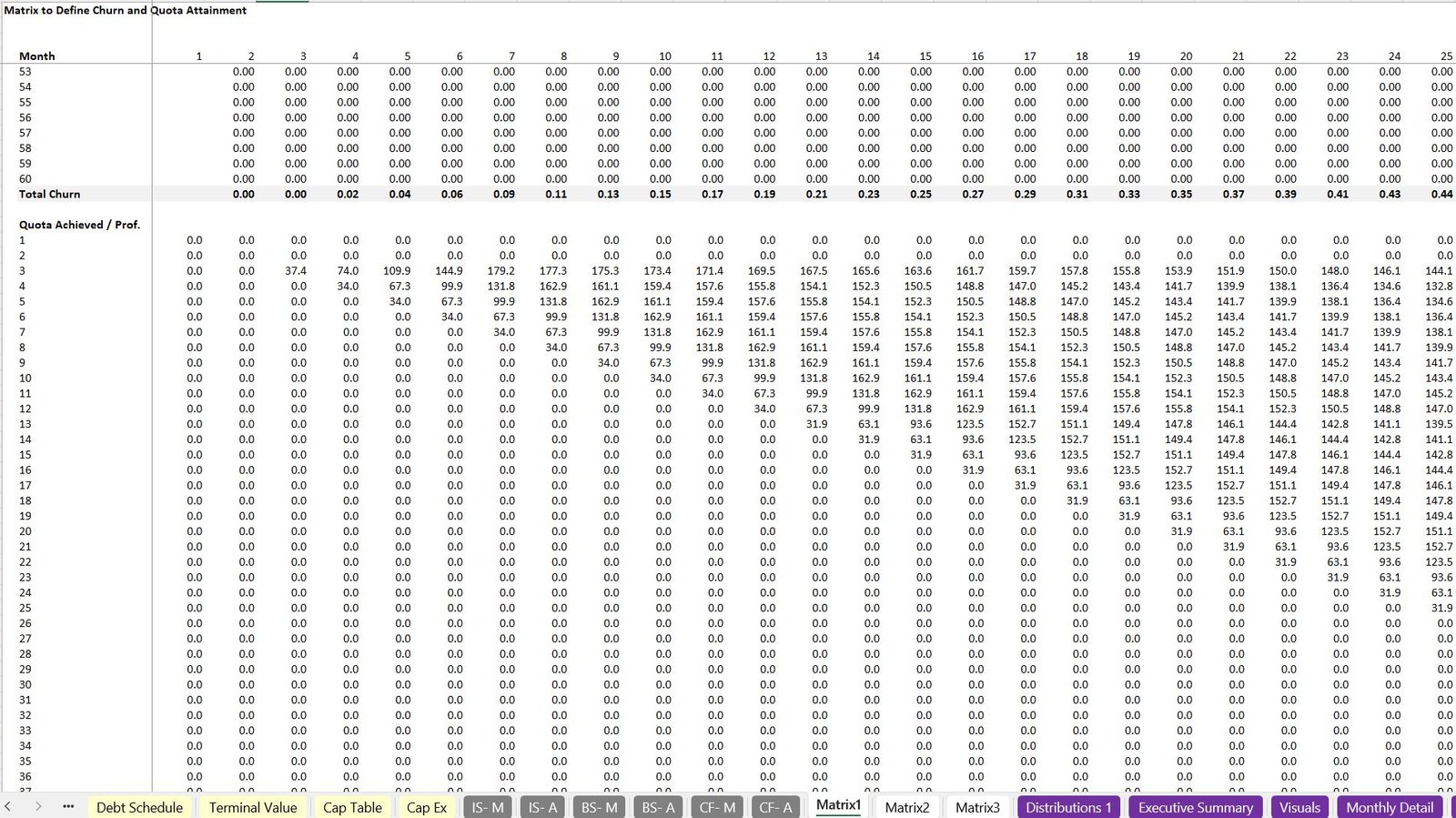
- Attrition and tenure logic, allowing you to model staff turnover
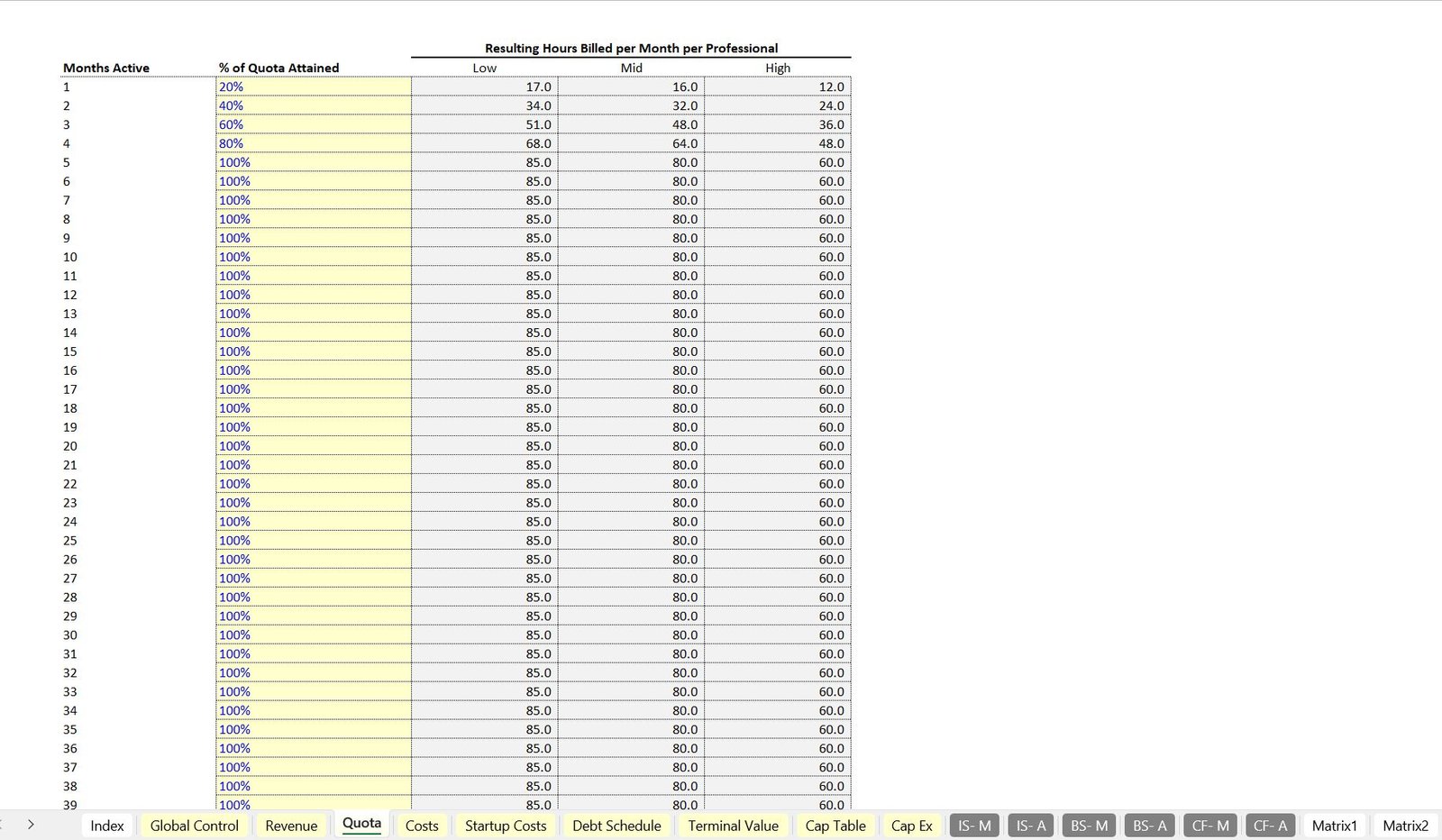
The model supports up to three professional types, each with unique billing rates, quotas, and percentages of billable revenue retained by the firm. Revenue is dynamically calculated based on the available hours and quota attainment for each type, adjusting over time.
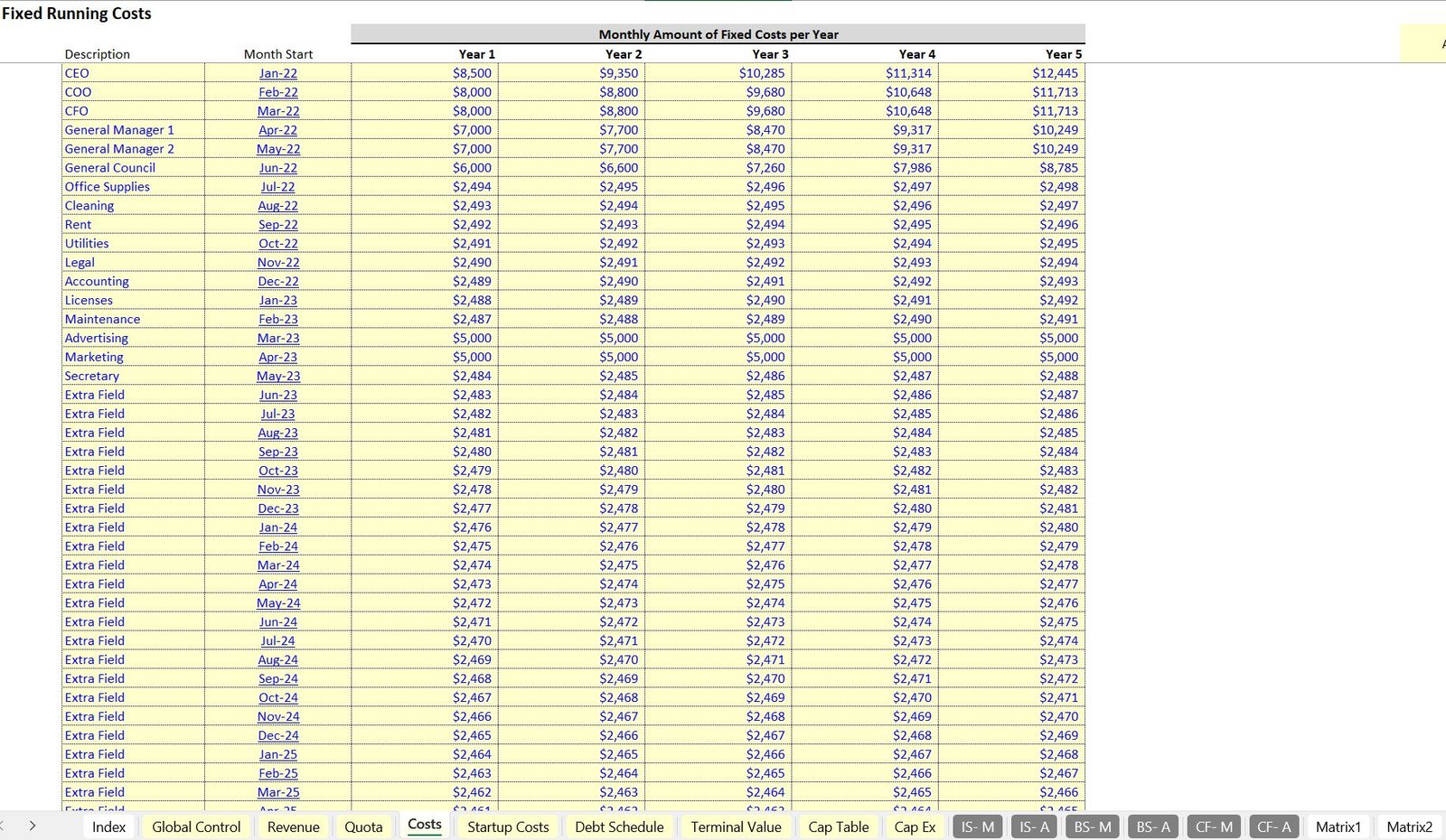
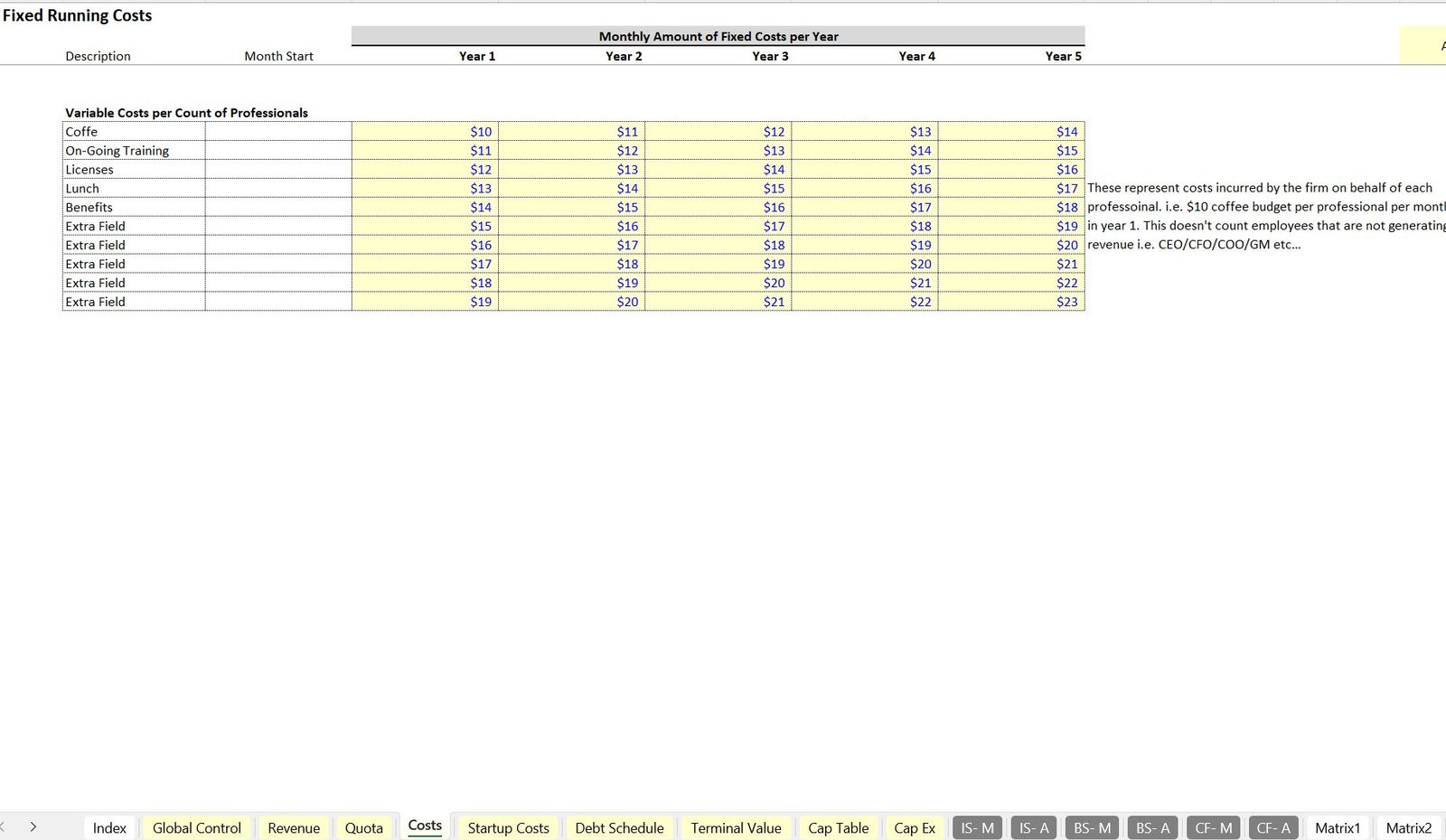
3. Fixed Costs and Variable Costs Tabs
The model features two key tabs for managing expenses:
- Fixed Costs Tab: This includes expenses that do not change with the number of professionals or activity, such as:
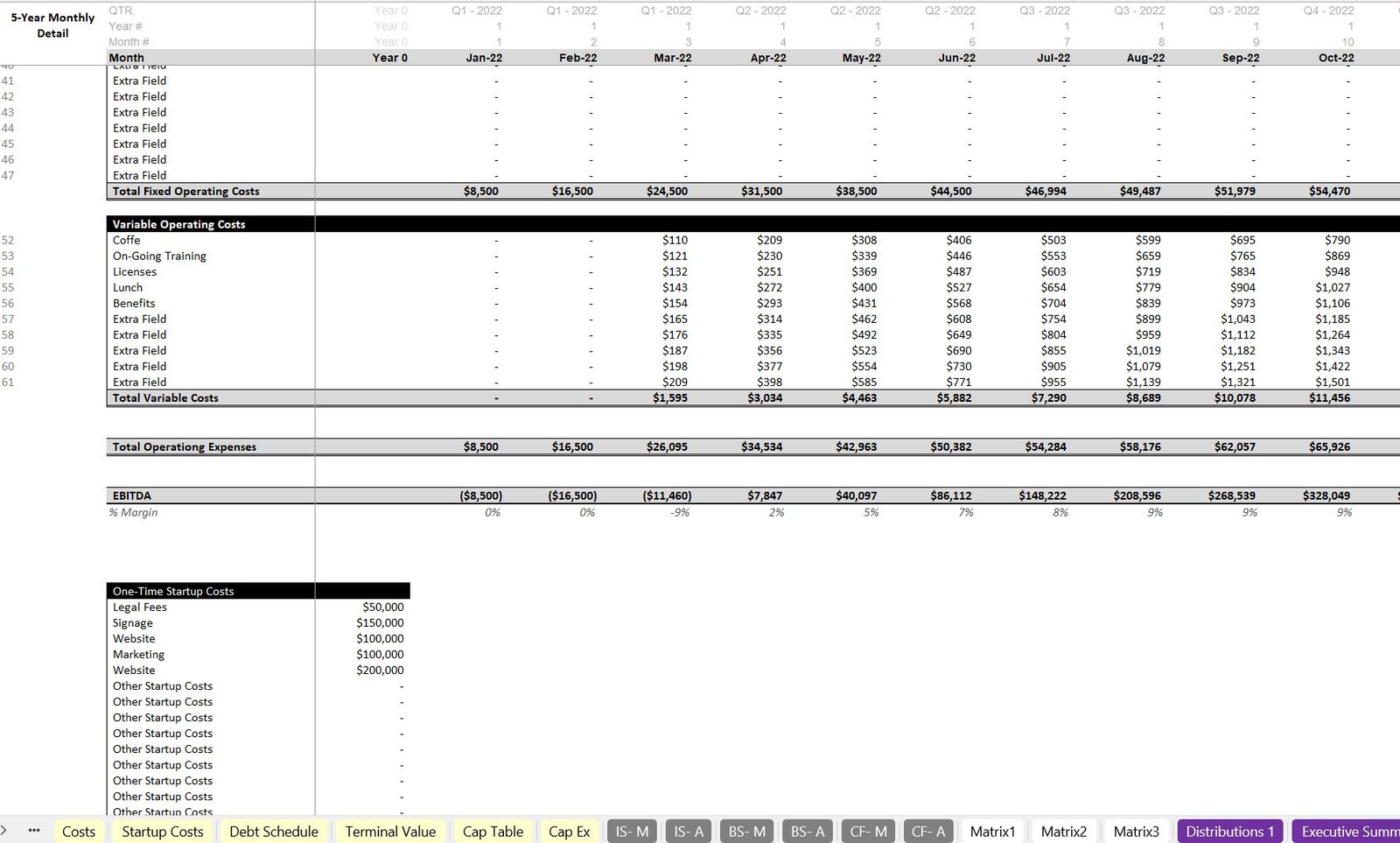
- Management salaries
- Office rent
- Variable Costs Tab: This captures expenses that are tied to the professionals, such as:
- Training
- Licenses
- Employee perks
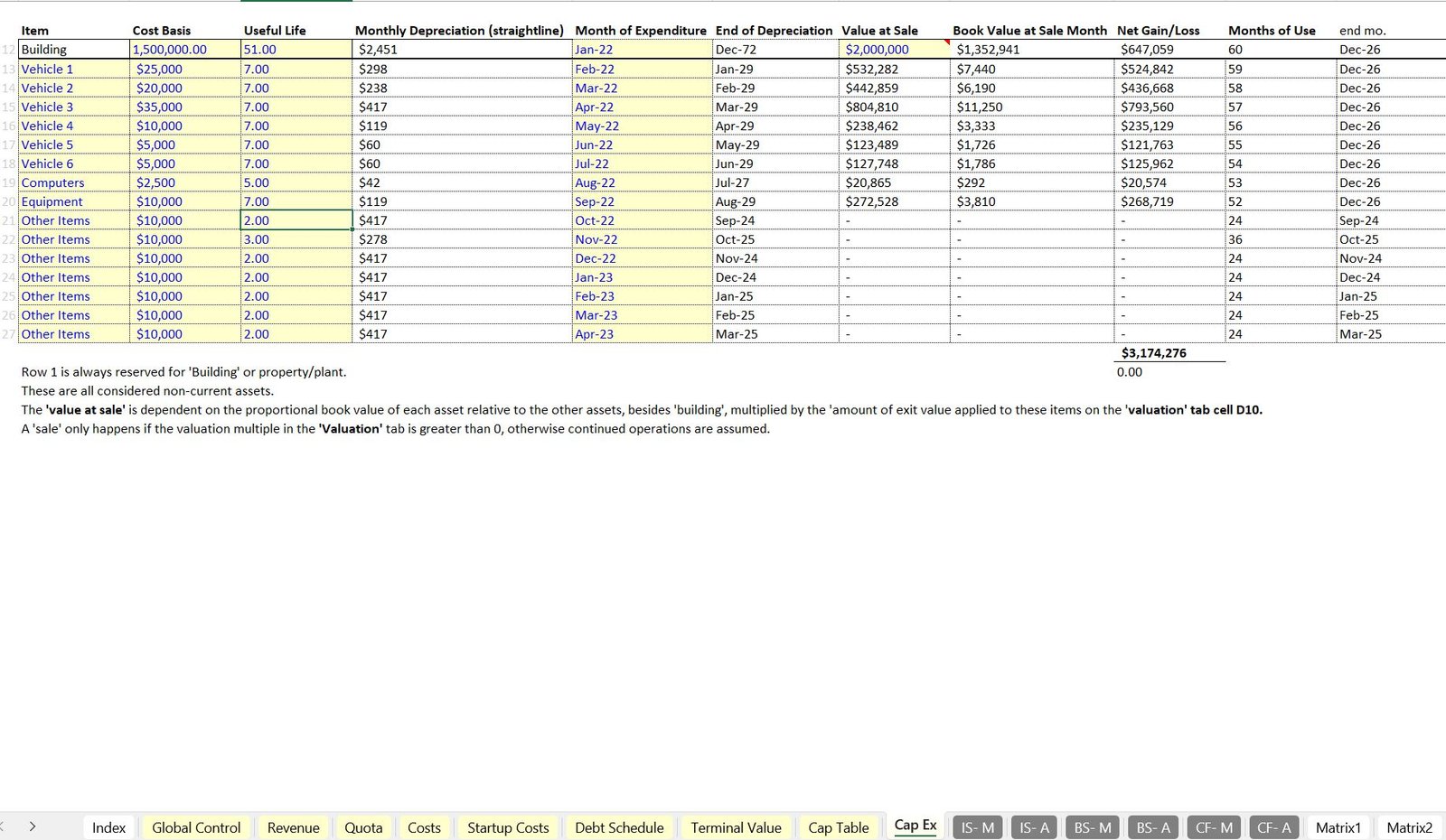
4. CapEx Tab
The CapEx Tab handles the management of depreciable assets, such as:
- Furniture
- Equipment
You can specify the month of expenditure, cost, and useful life. Depreciation is automatically calculated and incorporated into both the income statement and cash flow statement.
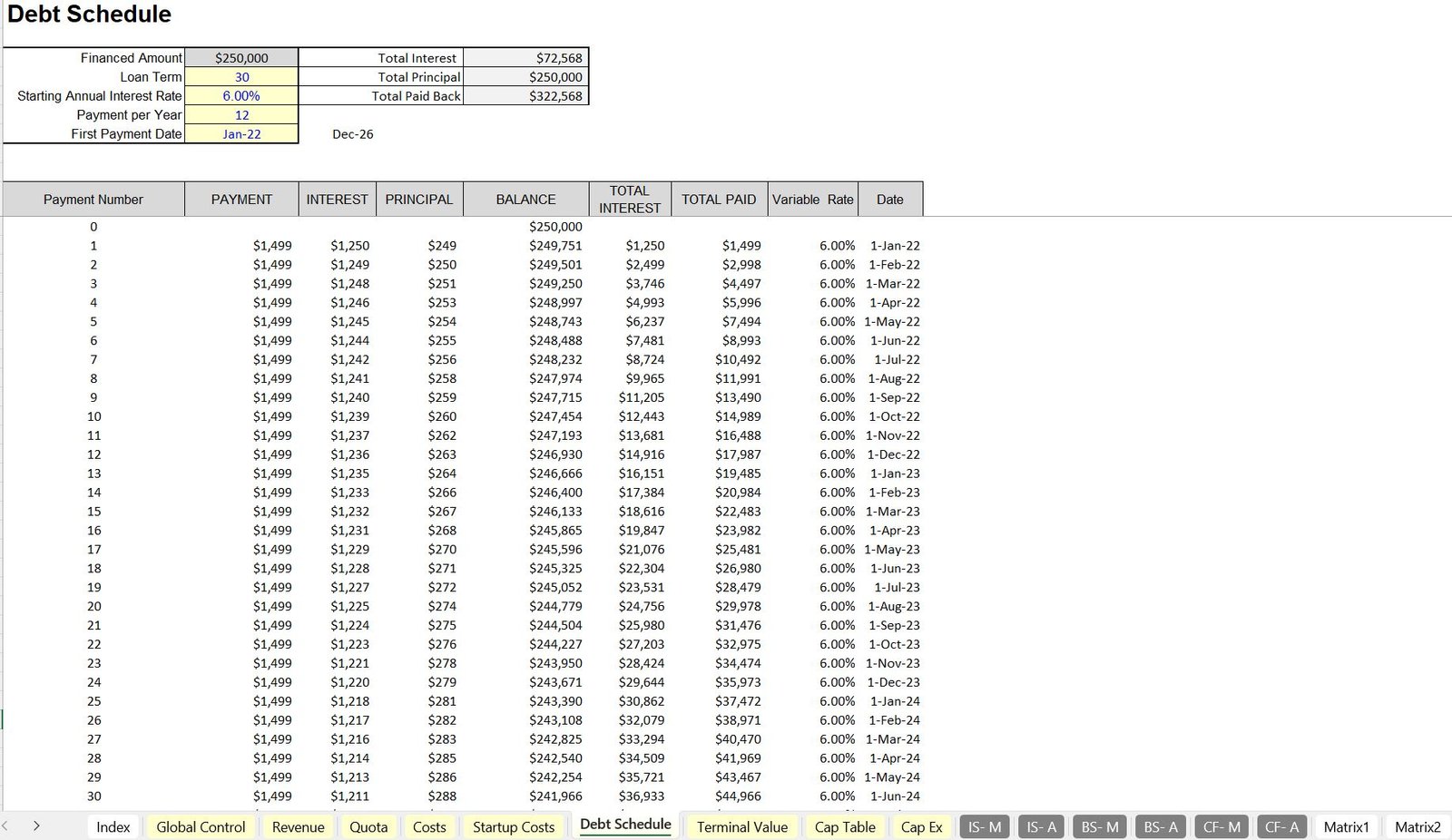
5. Debt Schedule Tab
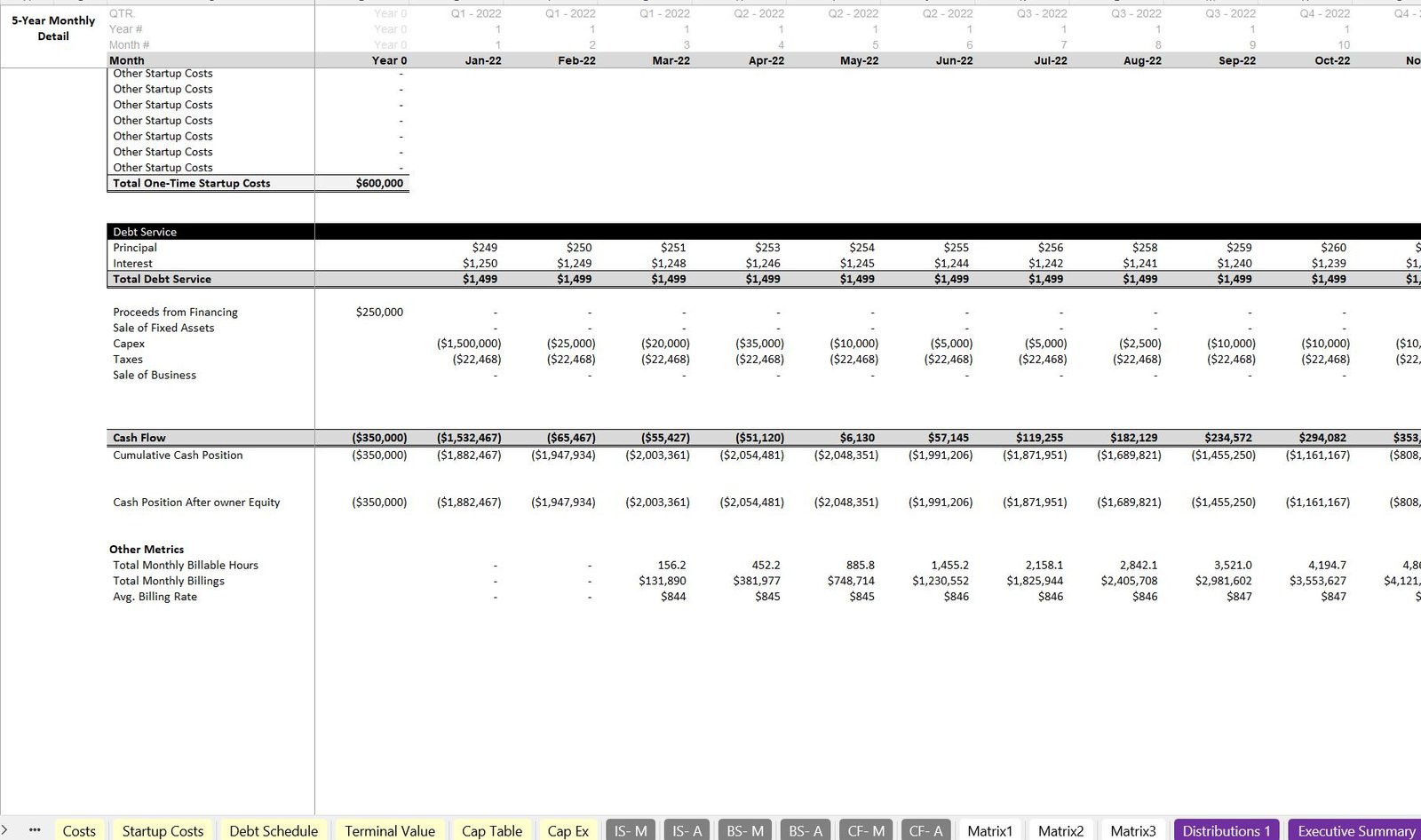
The Debt Schedule Tab manages all loan-related terms, including:
- Loan start month
- Interest rates
- Repayment schedules
If a terminal value is included, the model assumes any outstanding loan principal is repaid in the exit month.
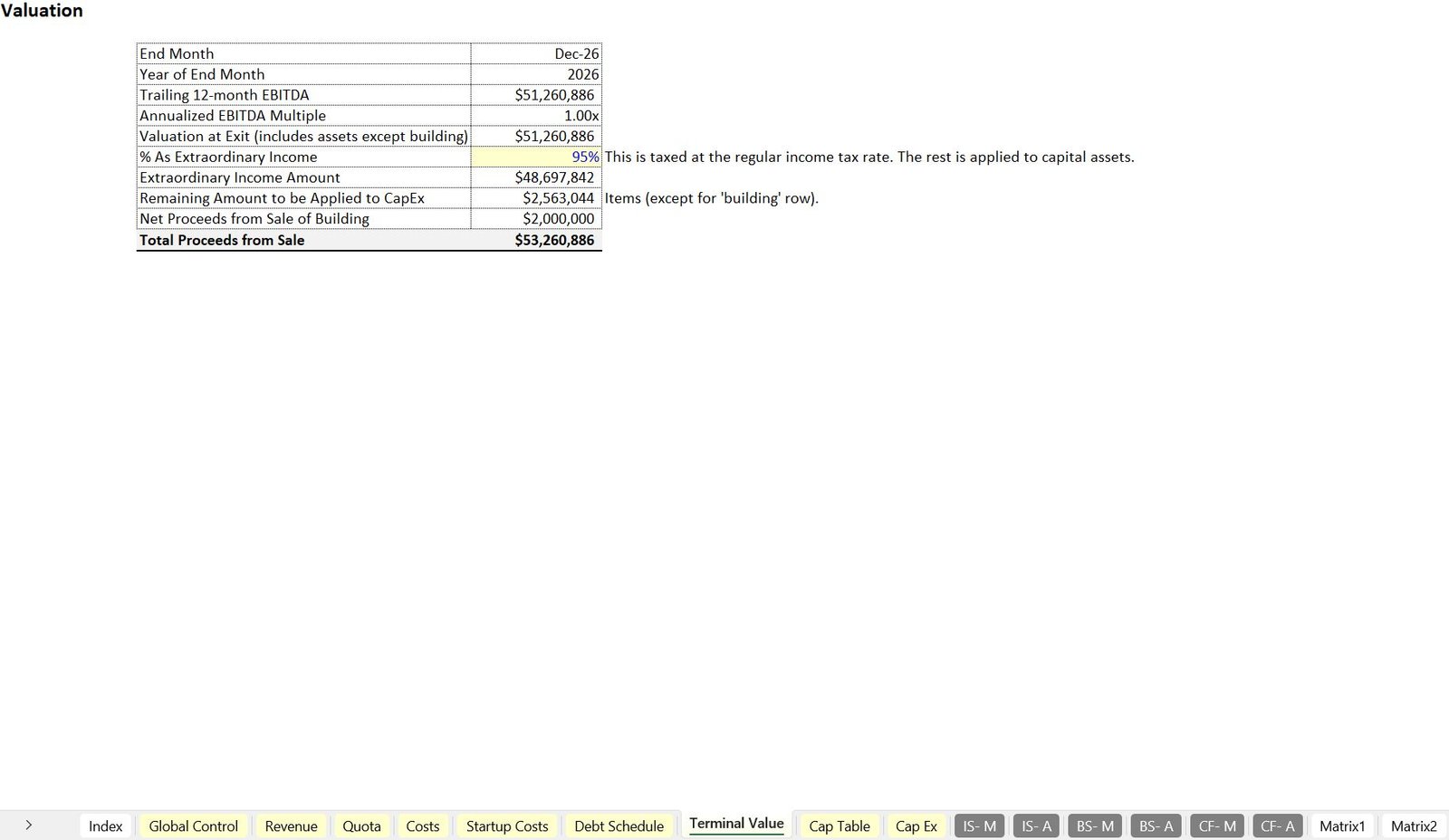
6. Terminal Value Tab
The Terminal Value Tab calculates a terminal value based on EBITDA and a selected multiple, with the option to adjust tax treatments for asset sales or extraordinary income.
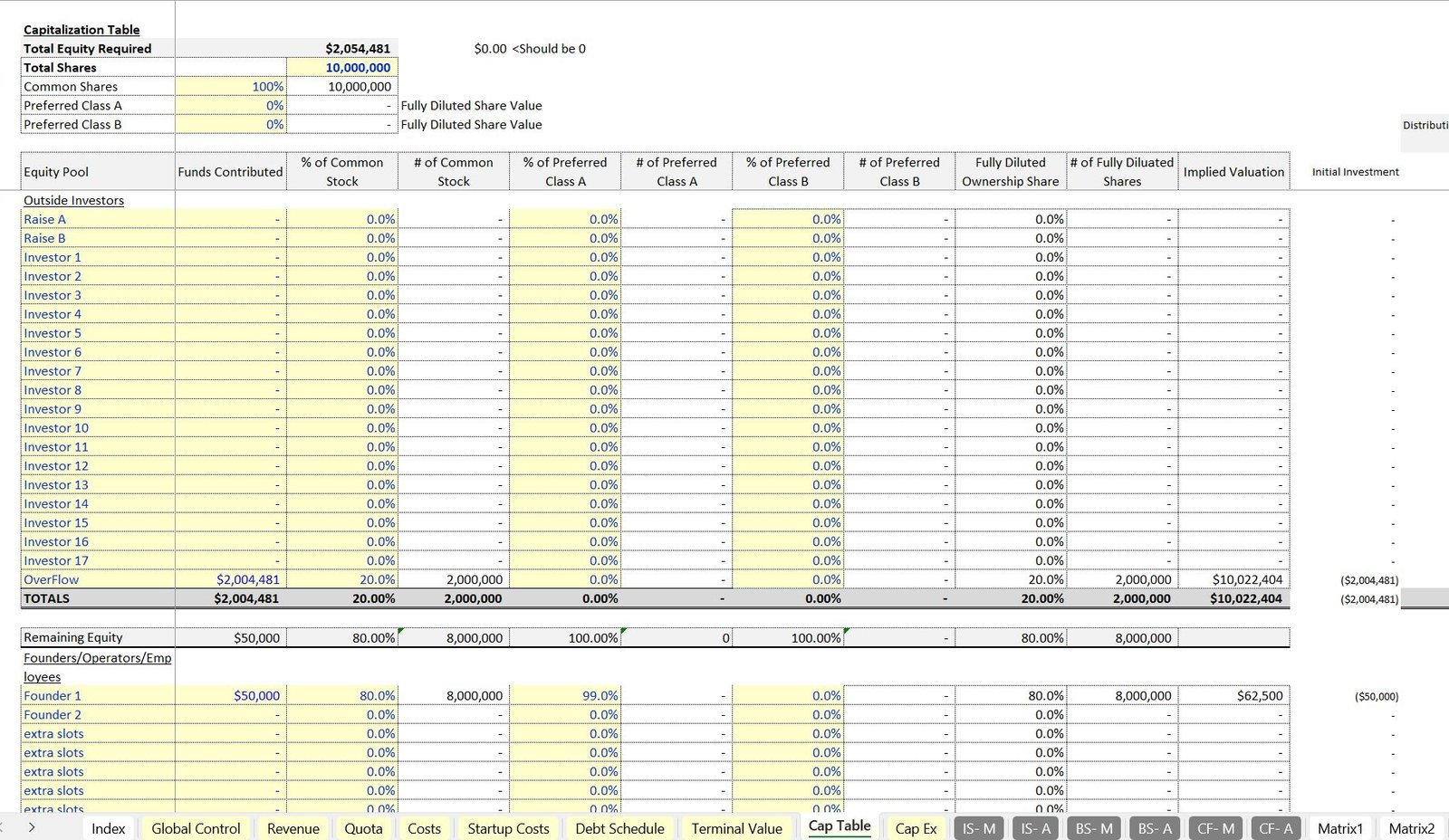
7. Cap Table Tab
The Cap Table Tab supports up to 20 investors and 20 owners, allowing you to:
- Define equity contributions
- Set share classes (Class A, B, and common shares)
- Calculate ownership percentages and internal rates of return (IRR) for each contributor based on their share of distributions
8. Financial Statements
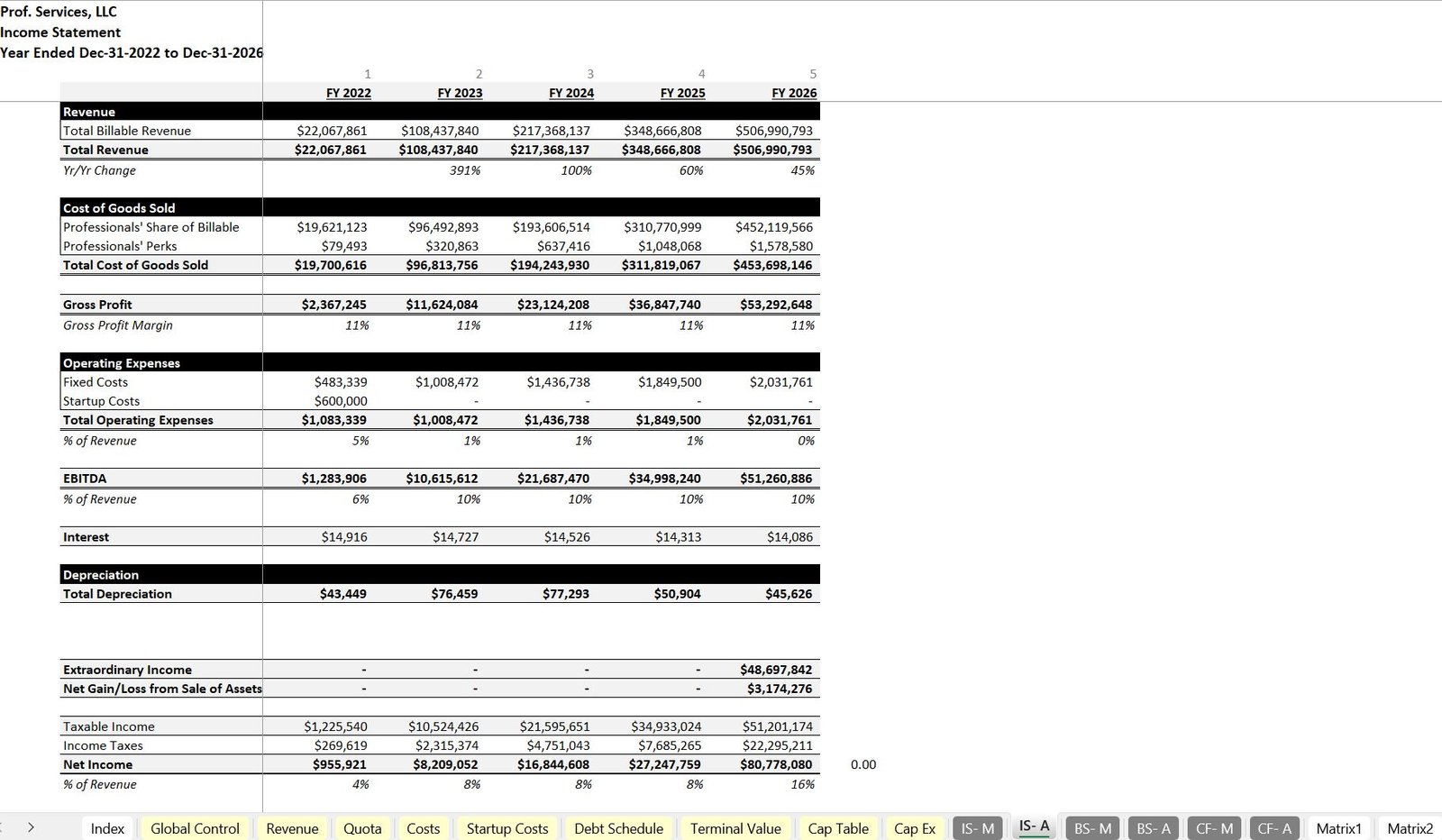
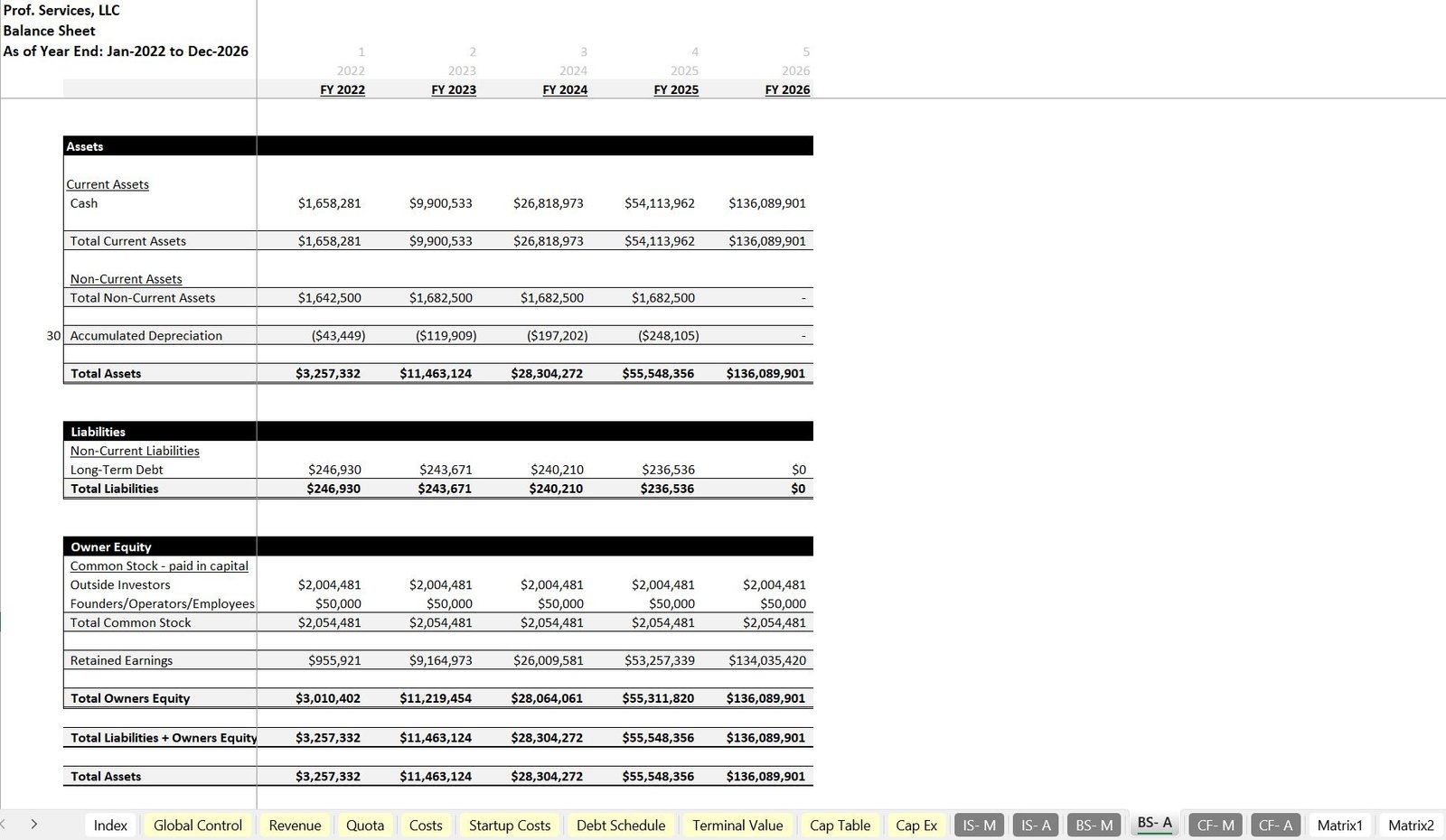
The model includes a complete suite of financial statements:
- Income Statement: Tracks revenue, cost of goods sold, operating expenses, EBITDA, and net income.
- Balance Sheet: Captures assets, liabilities, and equity, ensuring that the accounting equation is balanced over time.
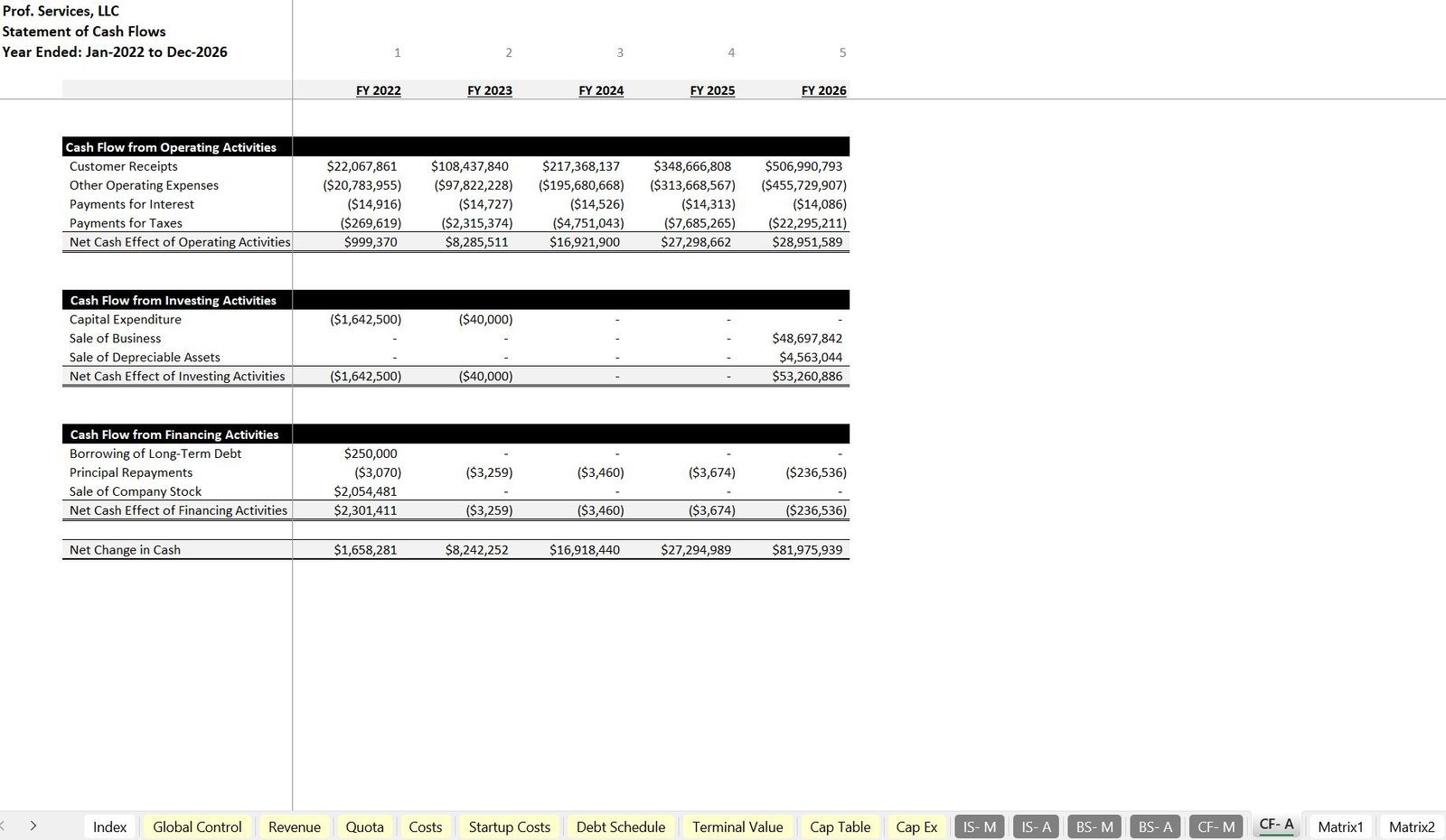
- Cash Flow Statement: Details cash flows from operating, investing, and financing activities, including capital expenditures, financing activities, and cash movements.
9. Matrix Tabs
The Matrix Tabs dynamically calculate revenue based on professional types, billing rates, and tenure logic. These tabs integrate the inputs from the Revenue Tab and other assumptions, ensuring accurate projections.
10. Distributions Tab
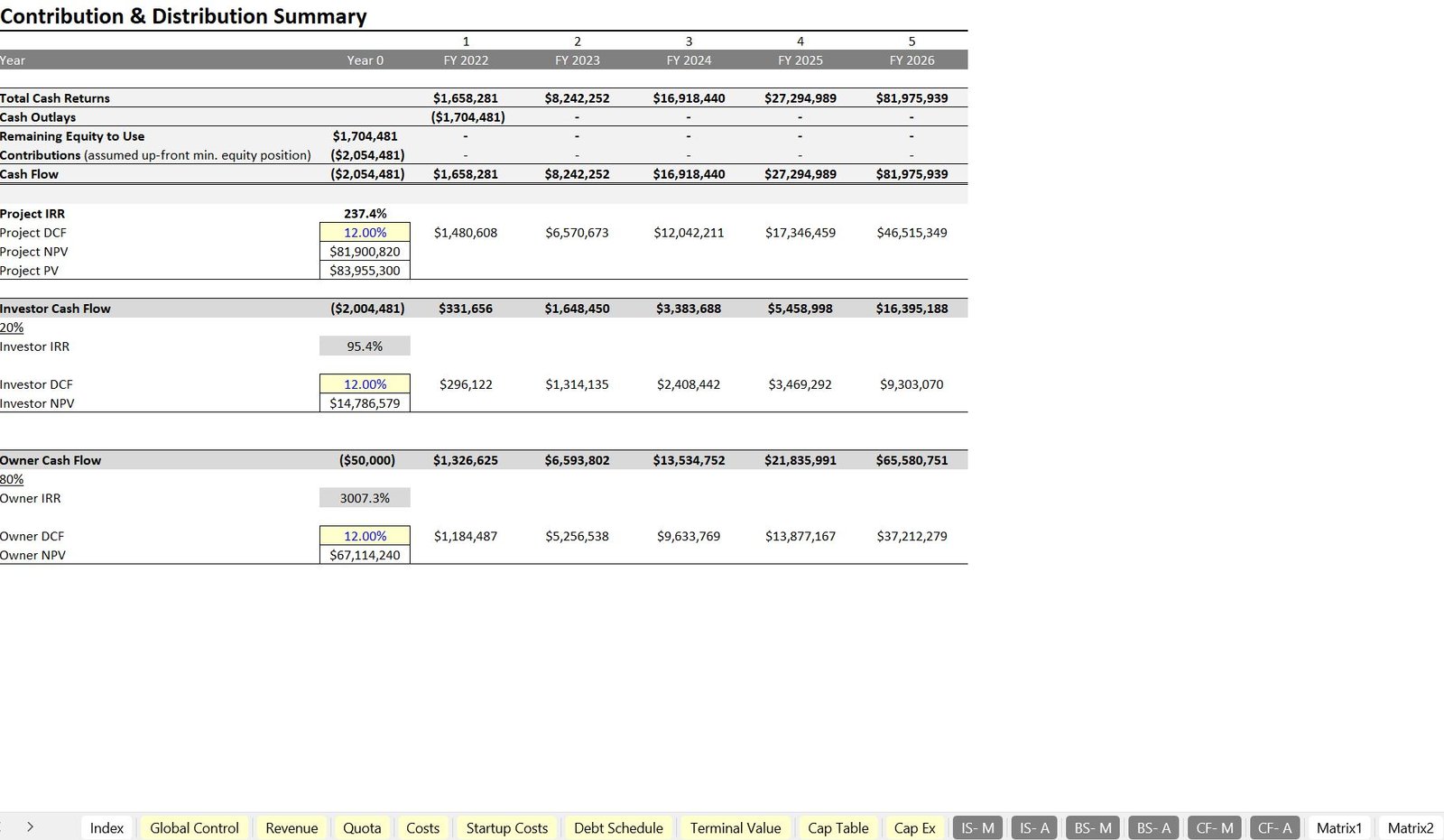
The Distributions Tab offers a detailed discounted cash flow (DCF) analysis, calculating:
- Net Present Value (NPV)
- Internal Rate of Return (IRR)
This analysis is essential for understanding the financial viability of the project for both investors and owners.
11. Executive Summary Tab
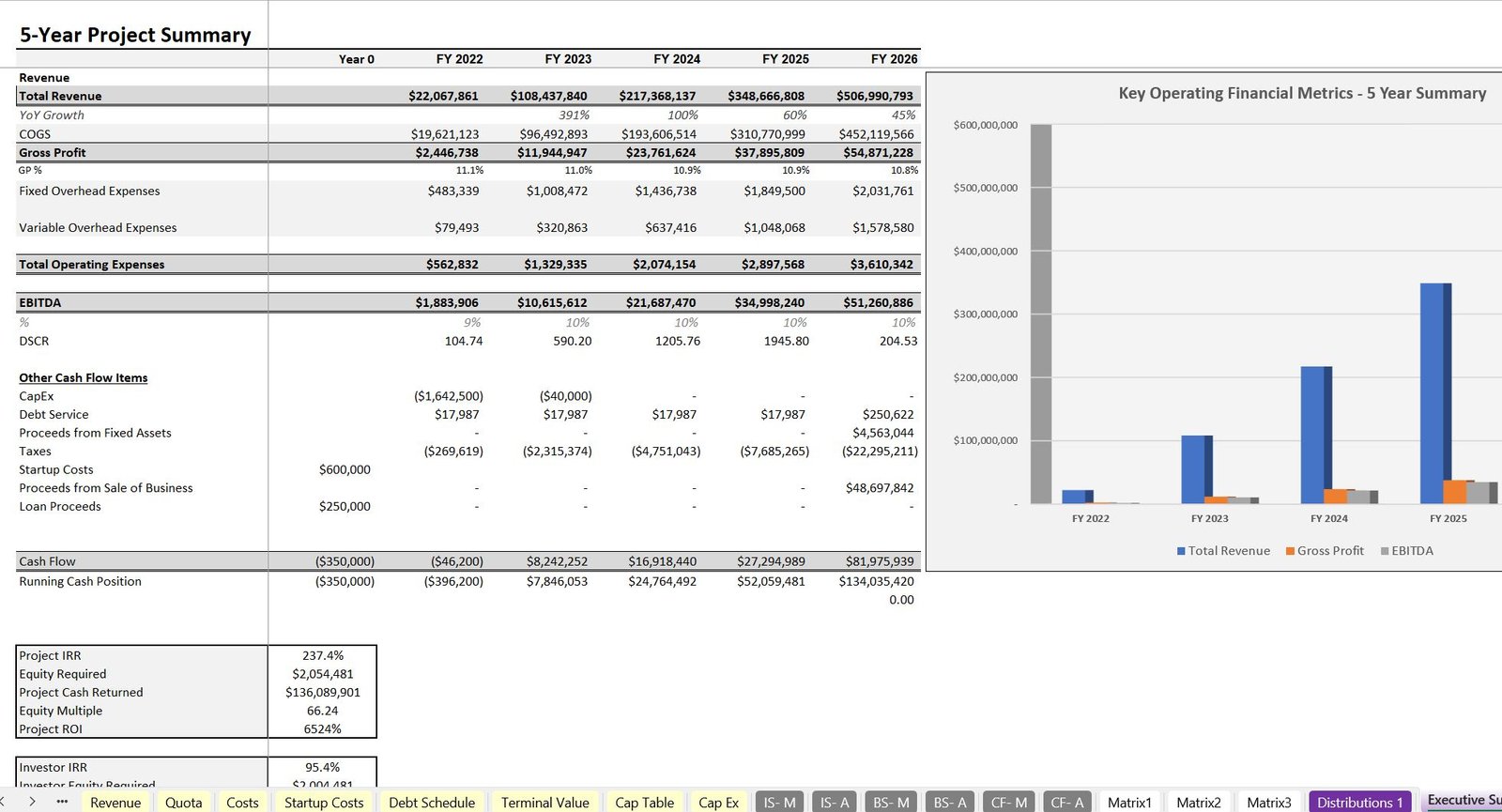
The Executive Summary Tab provides a consolidated view of the model’s key metrics, including:
- ROI
- Equity multiples
- Cash flow summaries
High-level visuals help stakeholders quickly understand the performance of the business.
12. Visualizations Tab
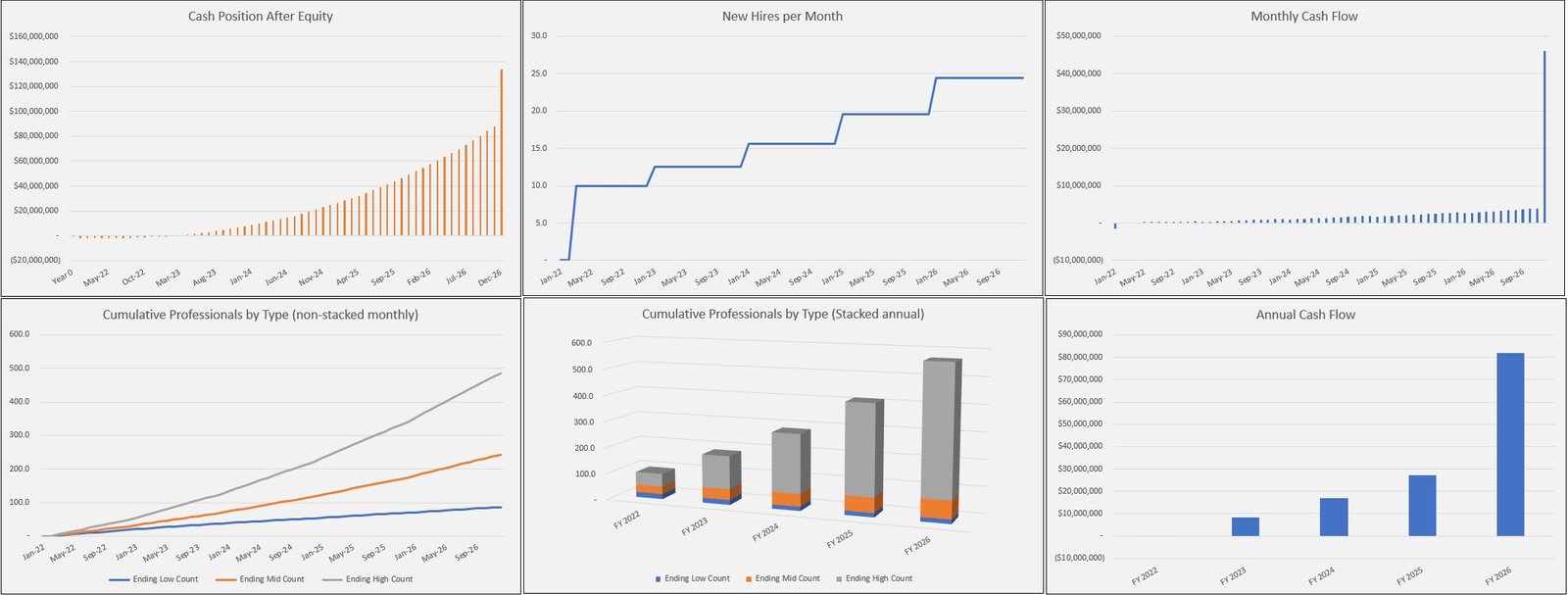
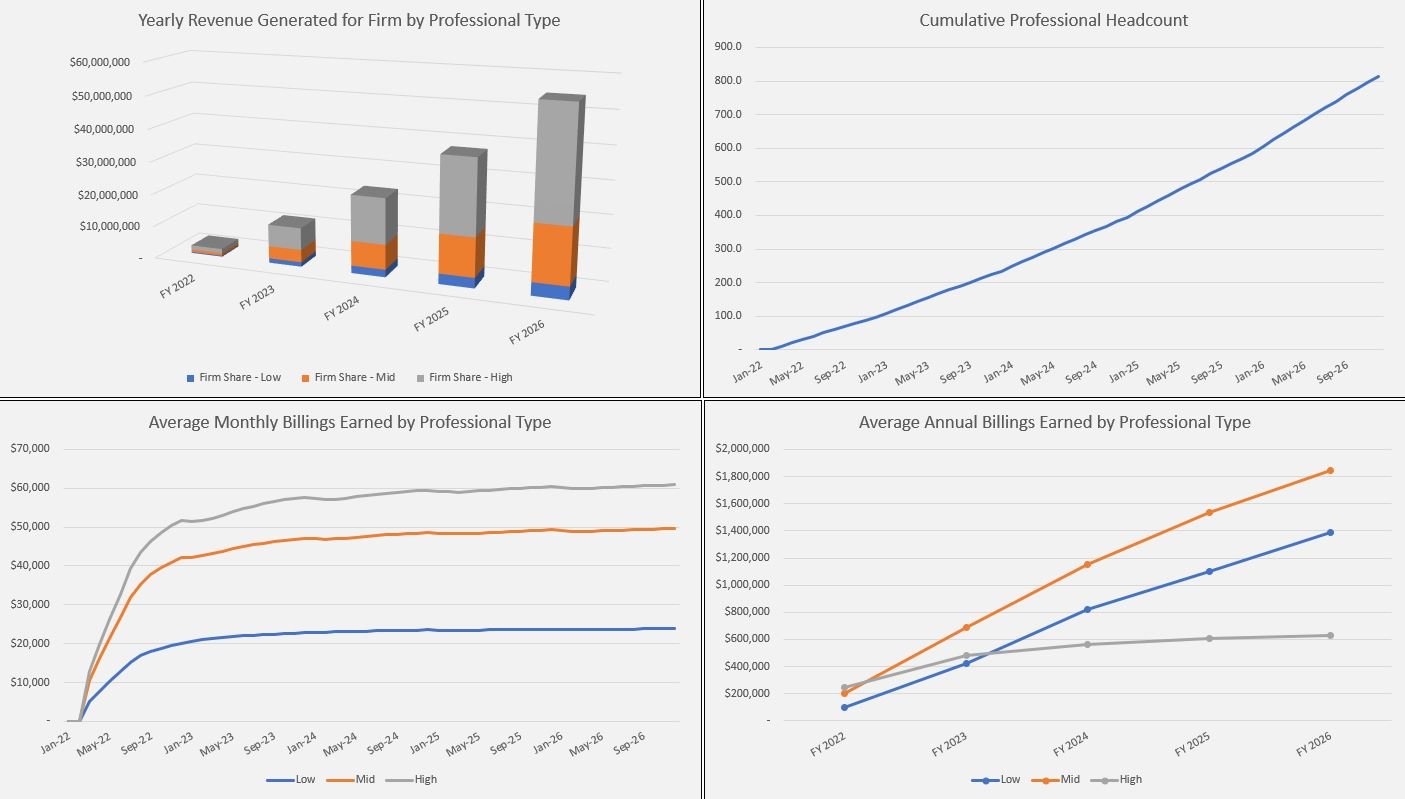
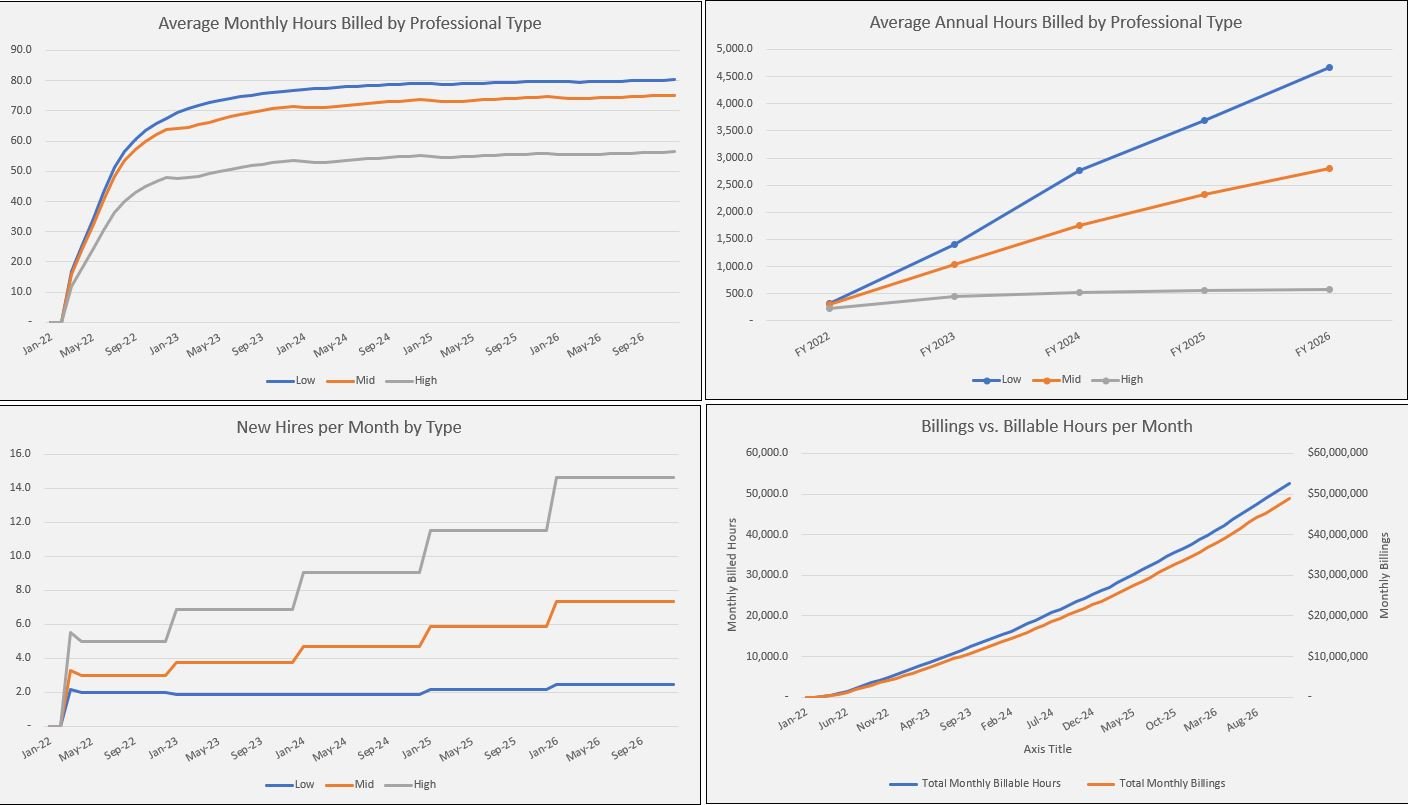
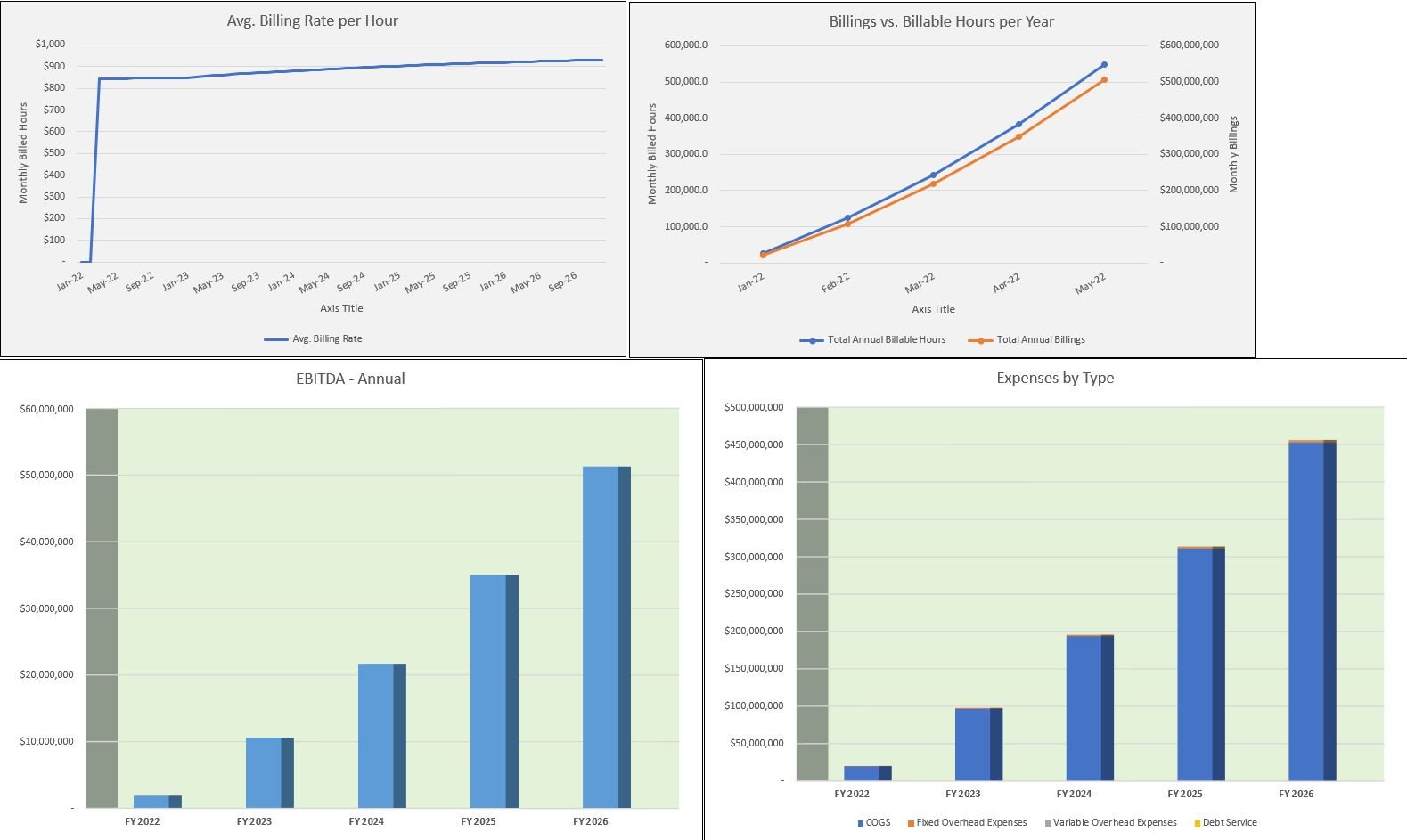
The Visualizations Tab offers a comprehensive view of key performance indicators, with charts and graphs showing:
- Revenue trends
- EBITDA margins
- Cumulative cash flows
This section helps in tracking long-term business performance.
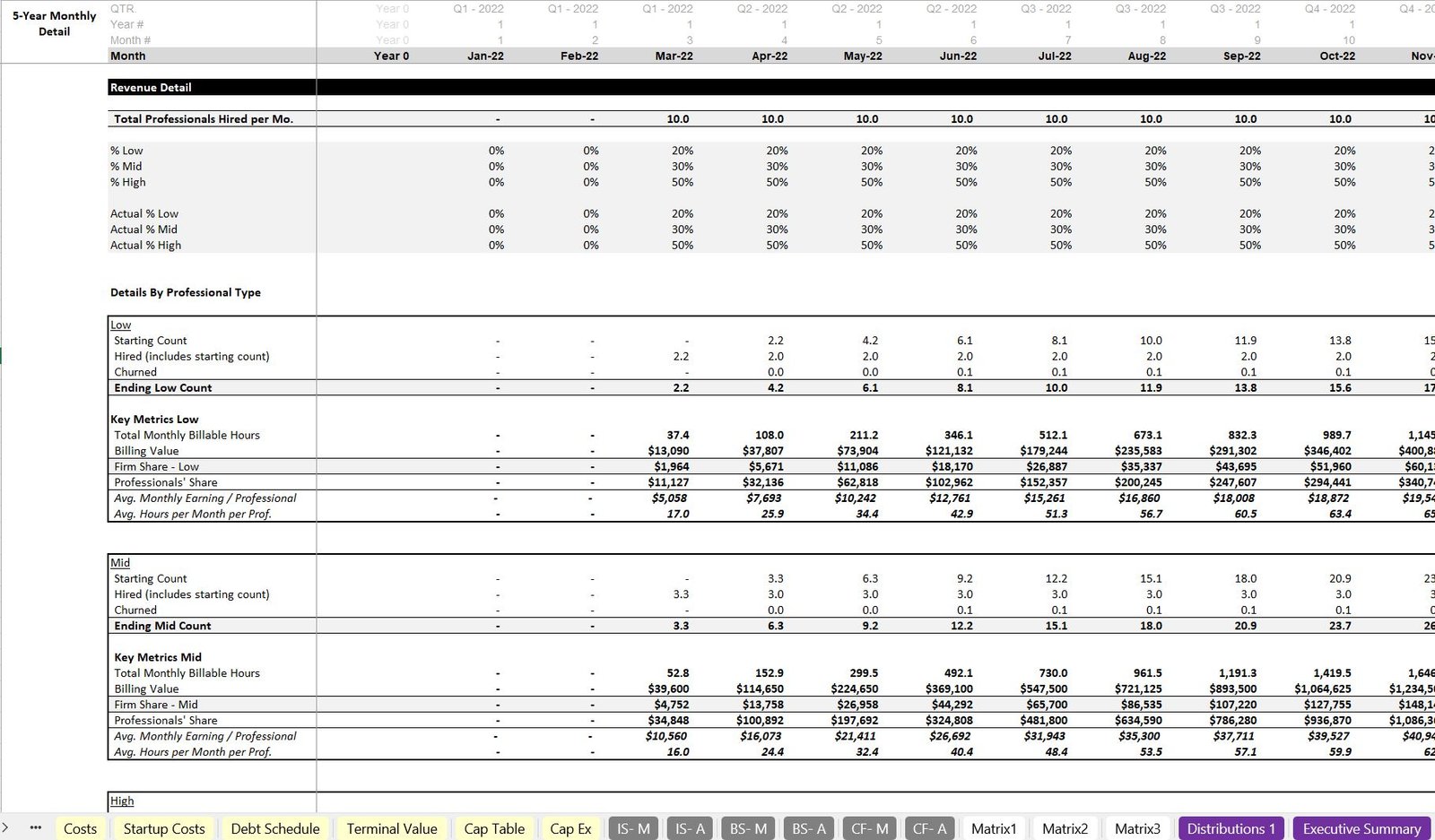
13. Monthly and Annual Details Tabs
- Monthly Details Tab: Offers granular insights into all assumptions, showing how professional counts, revenues, and costs flow through the model on a monthly basis.
- Annual Details Tab: Summarizes the monthly details on an annual basis, providing a clearer view of the model’s performance across multiple years.
Refund Policy
There are no refunds, all sales are final.
Cancellation / Return / Exchange Policy
For intellectual property, there are no returns / exchanges. All the files are downloadable, editable, and unlocked.
General Inquiries
There are no inquiries yet.


Reviews
There are no reviews yet.