-
OpEx – Lean JIT Kanban Systems
Kanban System Implementation
This source, titled “OpEx-KanbanSystems.pdf” by Vishnu Rayapeddi, provides a comprehensive overview of Kanban implementation within operational excellence frameworks. It explores the historical origins of Kanban from its roots in Toyota’s production system to its purpose in modern manufacturing. The document details the mechanics of Kanban, including visual systems, planning and scheduling integration, and various types such as withdrawal, production, and signal Kanbans. Furthermore, it highlights the significant benefits of adopting a Kanban system, such as inventory reduction and improved flow, and offers a seven-step guide to successful implementation, concluding with a practical case study for calculating Kanban numbers.$ 39$ 44OpEx – Lean JIT Kanban Systems
$ 39$ 44 -
OpEx – SCM Fundamentals – MRP-Materials Requirement Planning
The source “OpEx-SCM Funda4 MRP.pdf” provides an overview of Materials Requirement Planning (MRP), a crucial component of supply chain management. It begins by distinguishing dependent versus independent demand and details the planning process that leads to Material Requirements Planning. The document explains Bills-of-Material (BOM), including different types like modular and phantom bills, and outlines the structure and benefits of an MRP system. Furthermore, it explores extensions of MRP, such as Closed Loop MRP, Capacity Planning, Manufacturing Resource Planning (MRP II), Enterprise Resource Planning (ERP), and Distribution Resource Planning (DRP), illustrating the evolution of these systems and their applications in both manufacturing and service sectors.
$ 24$ 29 -
OpEx – SSGB, Six Sigma Green Belt Training PPT
This text provides a comprehensive overview of Operational Excellence and Six Sigma methodologies, detailing their importance in enhancing business profitability, customer satisfaction, and market competitiveness. It introduces key quality management gurus like Deming, Juran, Crosby, Ishikawa, and Taguchi, outlining their foundational philosophies and contributions to quality improvement. The document then thoroughly explores the Six Sigma project lifecycle, from defining and measuring processes to analysing root causes, implementing solutions, and establishing robust control plans. Crucially, it integrates concepts of stakeholder management, financial analysis, and various data collection and analysis tools essential for successful Six Sigma implementatio
$ 249$ 269 -
OpEx – VSM, Value Stream Mapping
Value Stream Mapping
The provided source, “OpEx – VSM.pdf” by Vishnu Rayapeddi, serves as a comprehensive guide to Value Stream Mapping (VSM), a critical component of Operational Excellence. It outlines an eight-step roadmap for implementing VSM, beginning with a commitment to lean principles and culminating in continuous improvement. The document explains how VSM helps visualise entire value streams, identify and eliminate non-value-adding activities (waste), and ultimately improve efficiency and customer satisfaction within manufacturing, administrative, and service sectors. Key concepts such as Takt Time, flow, pull systems, and levelling production are explored, providing practical methods for optimising processes and achieving significant cost reductions and$ 59$ 69OpEx – VSM, Value Stream Mapping
$ 59$ 69 -
OpEx-5SVC-5S and Visual Controls
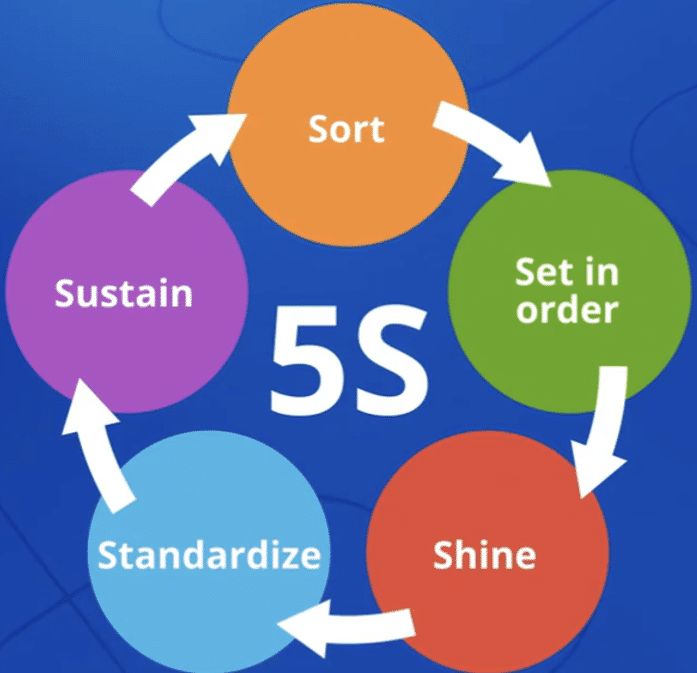
The source, titled “5S & Visual Controls for High Performance Workplace” by Vishnu Rayapeddi, outlines a comprehensive workshop focused on implementing the 5S methodology within an operational setting. This approach, originating from lean manufacturing principles, aims to create a safe, clean, and organised workplace to improve efficiency and quality. The document details each of the five “S” steps: Sort, Set-in-Order, Shine, Standardise, and Sustain, providing practical guidance, self-assessment tools, and examples for implementation. Ultimately, the objective is to achieve “World-Class Manufacturing” through disciplined workplace organisation and the effective use of visual controls and displays to communicate information and manage processes.
$ 54$ 64OpEx-5SVC-5S and Visual Controls
$ 54$ 64 -
Prince2 & Agile Excel RAID log template, track project Risks, Assumptions, Issues, Dependencies (plus other key logs)
Prince2 & Agile Excel RAID log template to track Risks, Assumptions, Issues, Dependencies & more. Editable, comprehensive & ideal for project managers.
$ 30$ 40 -
Prince2 & Agile Weekly / Monthly Project Status Report for Client / Internal reporting of Project Health, 3 formats
Prince2 & Agile project status report template in 3 PPT formats. Ideal for client & internal reporting of project health, risks, milestones & progress.
$ 30$ 40 -
PRINCE2 7th Edition Planner MS Templates Download – Both Microsoft Project MPP msp & ms Excel and Word Formats – Prince2
PRINCE2 7th Edition MS Templates Download – Microsoft Project MPP msp ms Excel and Word Formats – Prince2 Template Toolkit
$ 40$ 50 -

Procurement KPI Report Excel Template | Dynamic Monthly & Cumulative Metrics Tracking | Target vs Actual Performance Dashboard
Introducing our uniquely designed “Procurement KPI Dashboard | Procurement Excel KPI Report Template | Dynamic Reporting Dashboard | Performance Tracking Report”.
A meticulously crafted, dynamic reporting tool that is guaranteed to transform the way you plan and streamline your processes. Engineered using Microsoft Excel and Google Sheets, this digital download is more than just an Excel Spreadsheet: it’s your new decision-making ally.
For more details about the template, check the link below;
Introducing our uniquely designed “Procurement KPI Dashboard | Procurement Excel KPI Report Template | Dynamic Reporting Dashboard | Performance Tracking Report”. A meticulously crafted, dynamic reporting tool that is guaranteed to transform the way you plan and streamline your processes. Engineered using Microsoft Excel and Google Sheets, this digital download is more than just an Excel Spreadsheet: it’s your new decision-making ally.
✨Instant Download: No waiting needed. Have access to your dashboard planner immediately after your purchase.
📊Dashboard Excel: Enables you to view and manage a large amount of data seamlessly.
🔑Procurement KPI: Track multiple performance metrics all in one place – ensuring maximum efficiency.
📝Excel KPI Report Template: Create detailed reports quicker and easier, so you can focus on strategizing.
🎯Performance Tracker: Keep tabs on any progress, identify trends and reach your objectives faster.
📑Excel Template: High-quality templates designed for ease of use, adaptability, and accuracy.
Product Specifications:
💽File Type: XLSX
📈Form/Template: Excel Spreadsheet, Excel Sheet
✅Requirement: Microsoft Excel
💻Compatibility: Google Sheets
🏷️Function: Printable, Decision Making Tool, Decision Maker, Organizing Tool
🌐Access: Fully accessible and easy to use.
Boost your procurement efficiency with our Procurement KPI Report Excel Template! This dynamic and easy-to-use tool is designed to track key procurement metrics month by month and cumulatively, comparing target metrics with actual performance. Whether you’re monitoring supplier performance, cost control, or purchasing efficiency, this template simplifies procurement tracking with dynamic charts that adjust based on the selected metric. Ideal for procurement managers and business owners, it provides real-time insights for better decision-making and improved procurement operations.
Content:
• Excel file compatible with Excel 2010 and higher (and with sample data)
• Professional Design
• Works both on Mac and Windows
• No installation needed. Ready to use
• Dashboard with charts
• Procurement KPI Dashboard Template
• Easy to use
• 100% editable
• Excel file
• Instant download
• Friendly customer support for all your questions
License: Private Use (not for distribution or resale)
$ 35 -
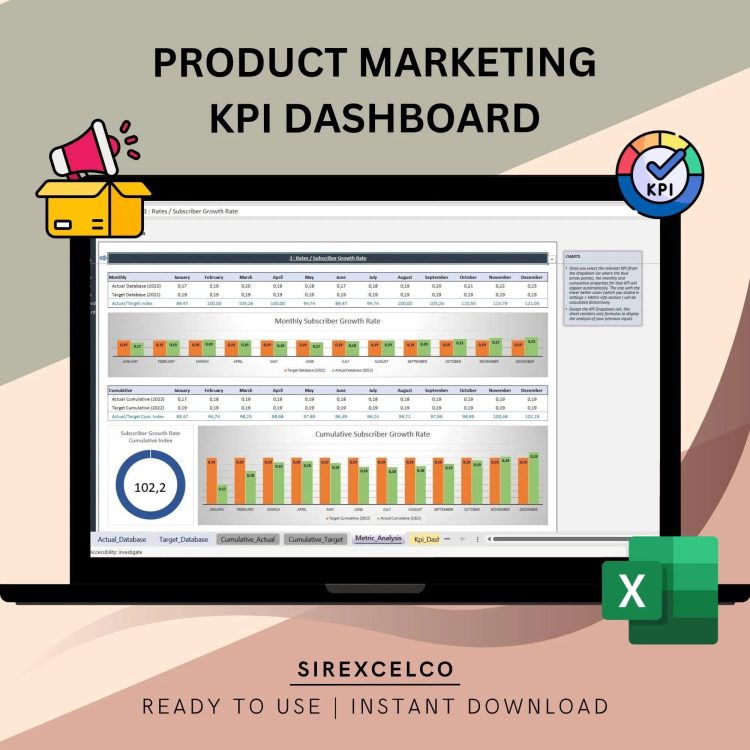
Product Marketing KPI Dashboard Excel Template | Dynamic Product Performance Tracker | Monthly & Cumulative Marketing KPI Analysis
Simplify your product marketing performance tracking with our Product Marketing KPI Dashboard Excel Template.
For more details about the template, check the link below;
This user-friendly Excel template allows marketers, product managers, and business owners to measure and compare key product marketing metrics month by month and cumulatively. Whether you need to track sales, customer acquisition, or campaign performance, this tool dynamically updates with interactive charts, letting you instantly compare target vs. actual metrics. Perfect for anyone looking to make data-driven decisions and improve marketing strategies, this template is designed for ease of use while providing deep insights into product performance.
What this means is that finding the right product marketing metrics is extremely crucial. Among the sea of options available, it’s important to identify which metrics are key to the success of your business. Otherwise, it’s easy to miss the wood for the trees and start tracking too much or too little.
Best for:
• Marketing Experts
• Product Marketers
• Everyone starting with a new project
Content:
• Excel file compatible with Excel 2010 and higher (and with sample data)
• Professional Design
• Works both on Mac and Windows
• No installation needed. Ready to use
• Dashboard with charts
• Product Management KPI Dashboard Template
• Easy to use
• 100% editable
• Excel file
• Instant download
• Friendly customer support for all your questions
License: Private Use (not for distribution or resale)
$ 35 -
Programme, Project Benefits Realization Tracker MS Template for Recording & Tracking project benefits, baseline & status
MS Excel template for Programme & Project Benefits Realization tracking. Record benefits, baselines, targets & RAG status to monitor project outcomes.
$ 30$ 40 -

Project Management KPI Report Excel Template | Track Monthly and Cumulative Metrics | Dynamic Charts & Performance Analysis
Take control of your projects with the Project Management KPI Report Excel Template!
For more details about the template, check the link below;
This template makes it easy to monitor your project performance by tracking key metrics month by month and cumulatively. Whether you need to compare target metrics with actual results or visualize progress through dynamic charts, this tool simplifies the process for project managers, team leaders, and business professionals.
No advanced Excel skills are needed to use this fully customizable template. Simply input your project data, choose the metric you want to focus on, and the template will automatically generate reports and charts to keep your projects on track.
Key Features:
Track project management KPIs monthly and cumulatively
Compare target vs actual performance metrics
Dynamic charts that update automatically based on the selected metrics
User-friendly and fully customizable to your project needs
Ideal for project managers, team leads, and business professionals
No advanced Excel knowledge required
This template helps you make data-driven decisions and ensures that your projects are completed efficiently and on time.
Content:
• Excel file compatible with Excel 2010 and higher (and with sample data)
• Professional Design
• Works both on Mac and Windows
• No installation needed. Ready to use
• Dashboard with charts
• Project Management KPI Dashboard Template
• Easy to use
• 100% editable
• Excel file
• Instant download
• Friendly customer support for all your questions
License: Private Use (not for distribution or resale)
$ 35