
Manufacturing Process Tracker




$ 45
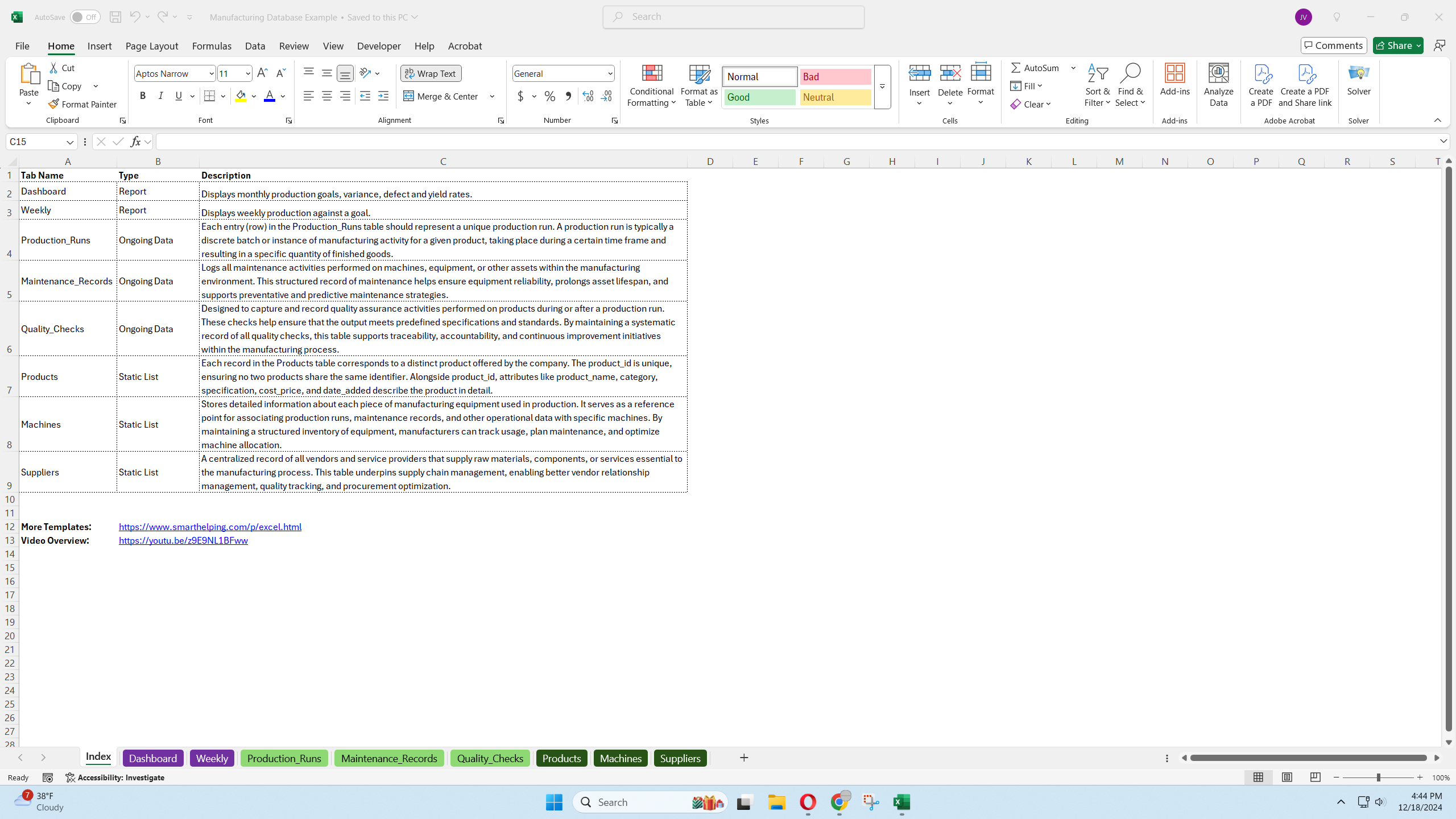
This Excel template provides a manufacturing database example for tracking production runs, maintenance records, quality checks, and supplier information. It includes a dashboard for visualizing production efficiency, throughput, and other key performance indicators.
The Manufacturing Database Example is a versatile Excel template designed to help manufacturing companies organize and analyze key operational data. This template provides a structured framework for tracking production runs, maintenance activities, quality control, and supplier performance. It includes both ongoing and static databases, along with a dashboard for visualizing critical metrics.
Key Features:
Ongoing Databases:
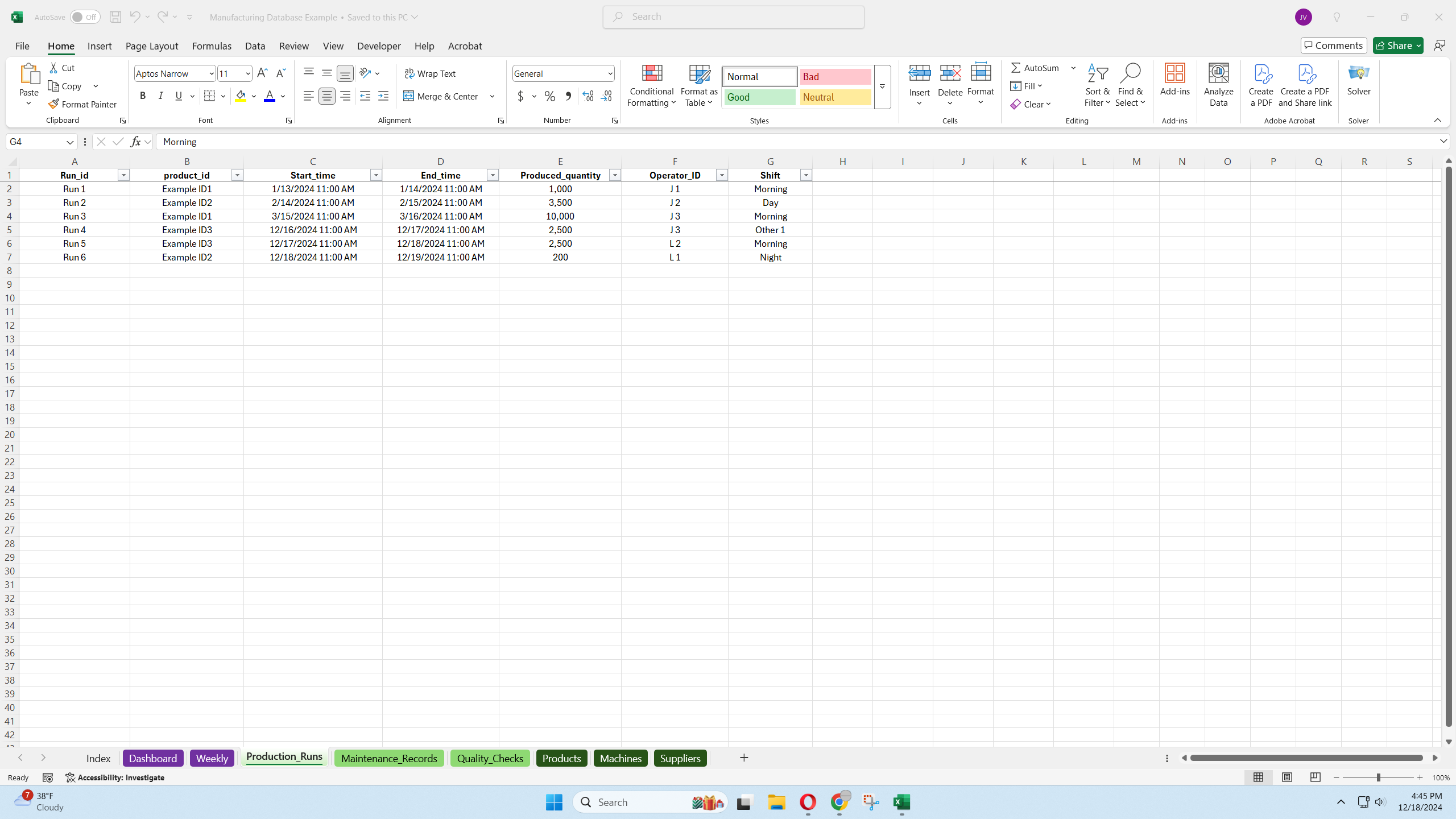
- Production Runs: Tracks production cycles with details like run ID, product ID, start/end times, produced quantity, operator ID, and shift.
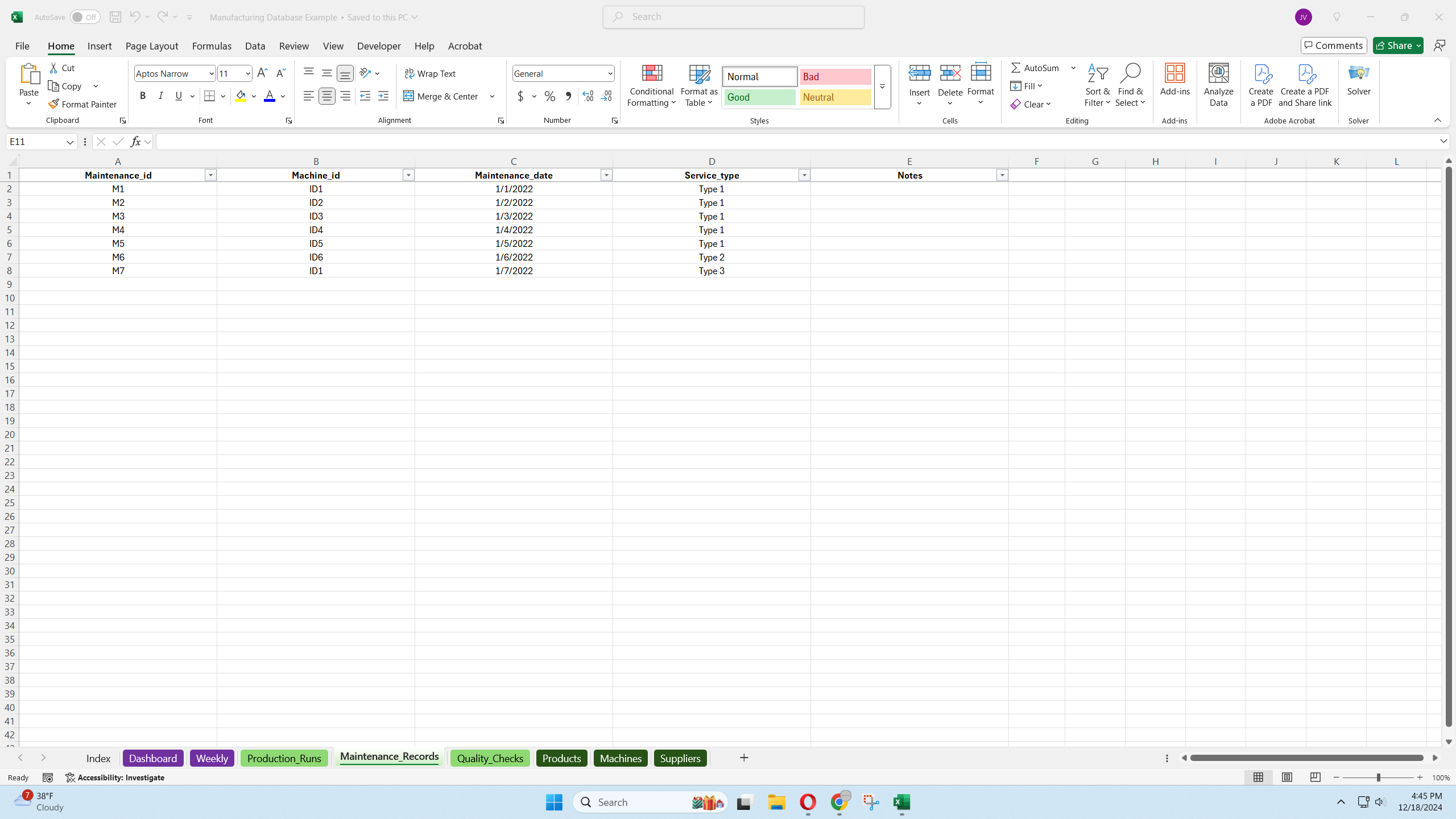
- Maintenance Records: Logs maintenance tasks, including machine ID, maintenance ID, and date of completion.
- Quality Checks: Records quality control data, including quality check ID, run ID, defect counts, time of check, defect type, and pass/fail status.
Static Databases:
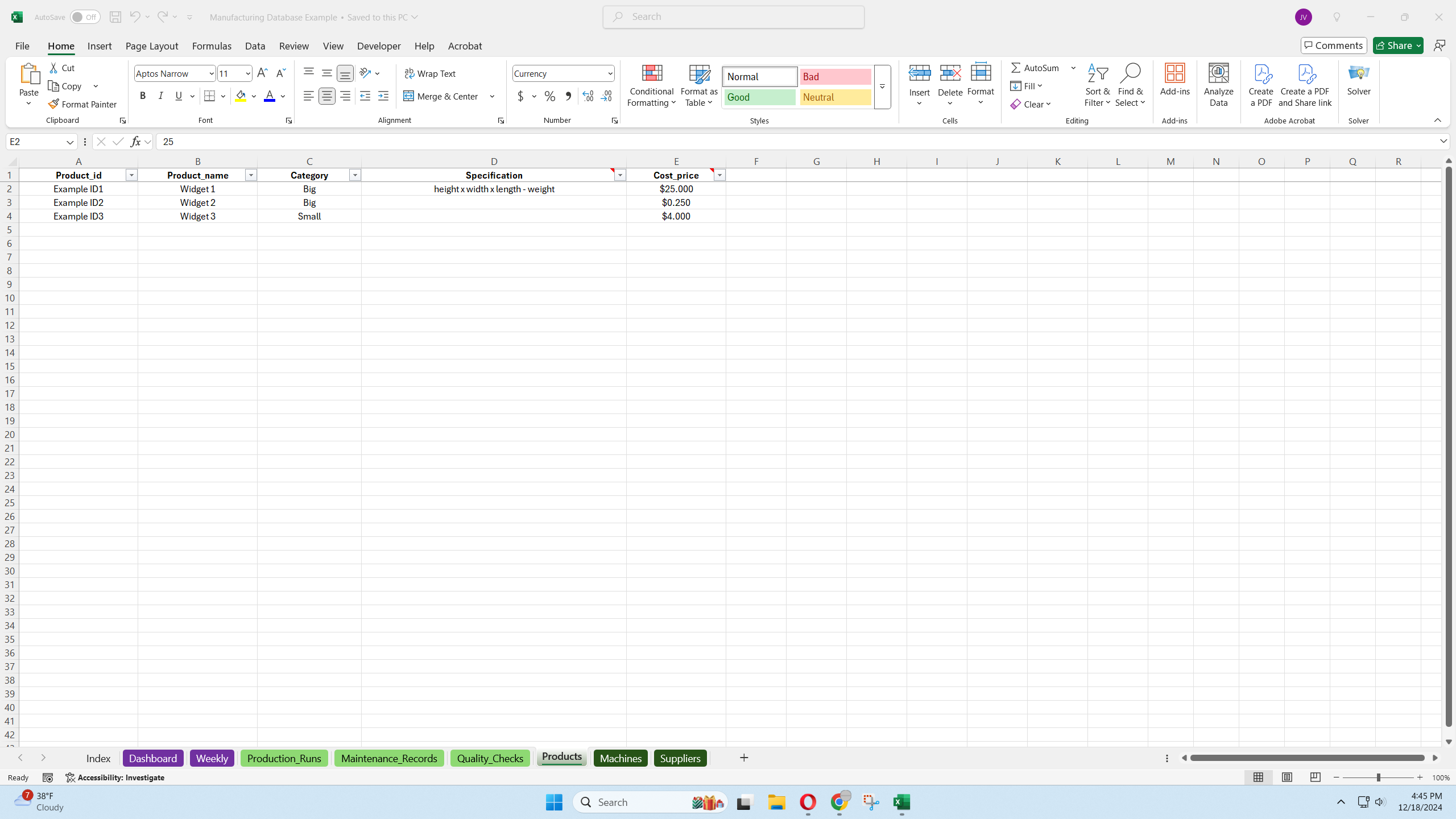
- Products: Maintains a list of products with details like product ID, name, category, specifications, and cost/sale prices.
- Machines: Tracks machine information, including machine ID, name, location, and last maintenance date.
- Suppliers: Manages supplier data, including supplier ID, name, material, quality score, and on-time delivery rate.
Dashboard:
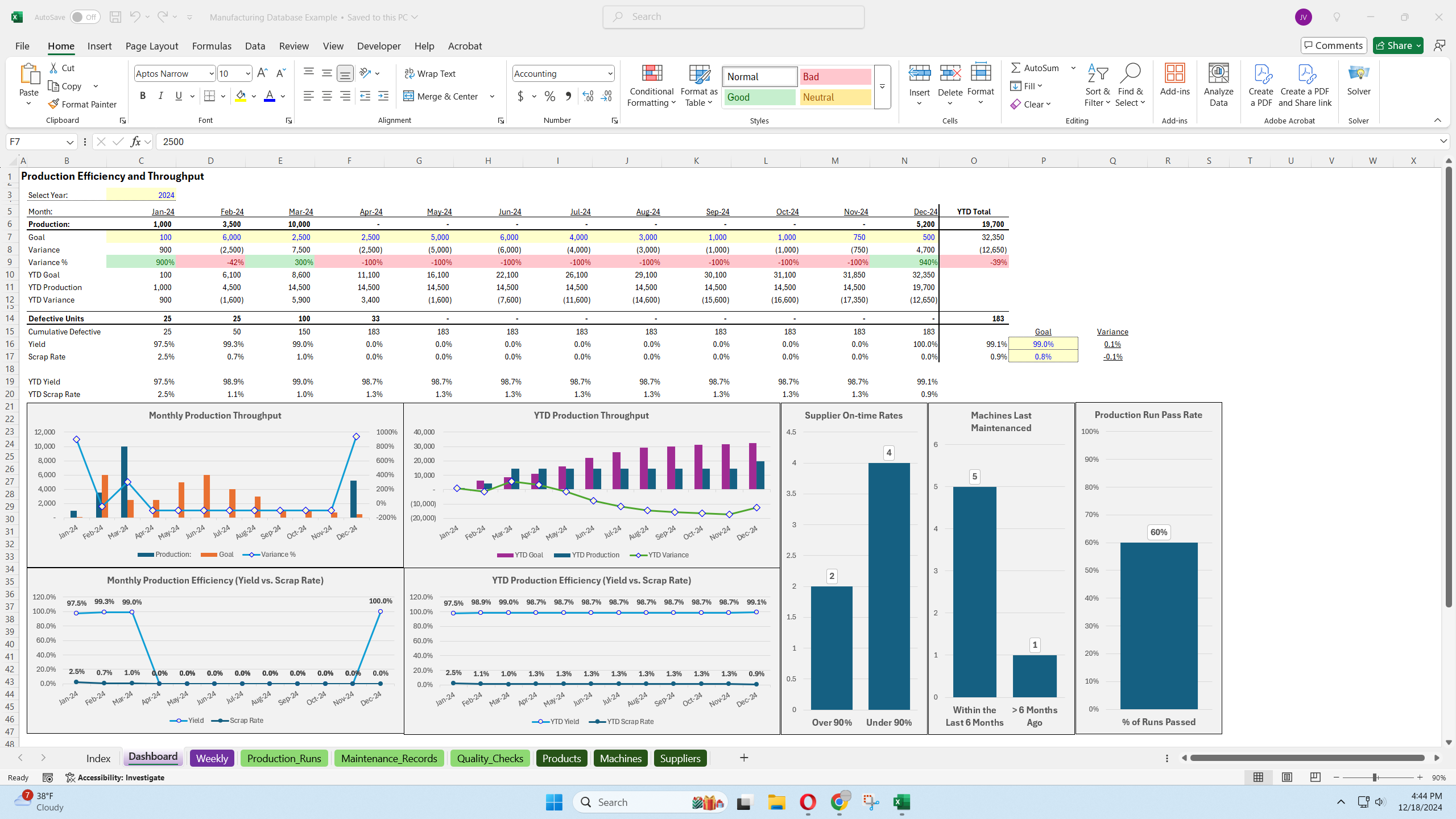
- Visualizes production efficiency and throughput with charts and graphs.
- Displays key performance indicators like production units per month, year-to-date totals, goal variances, yield, scrap rate, supplier on-time rates, machine maintenance status, and production run pass rates.
- Allows users to select the year for data analysis.
Weekly Goal Tracking:
Provides a weekly tab for goal tracking and variance analysis.
Filter Functionality:
Includes filters on all columns for easy data analysis.
Functionality:
- Users input data into the ongoing and static databases.
- The dashboard automatically generates visualizations and calculates key performance indicators.
- Users can track weekly goals and variances.
- Filters allow for flexible data analysis.
Benefits:
- Provides a structured framework for organizing and analyzing manufacturing data.
- Enables users to track production efficiency, quality control, and supplier performance.
- Facilitates data-driven decision-making through visualizations and key performance indicators.
- Offers flexibility and scalability for various manufacturing operations.
This template is a valuable resource for manufacturing companies seeking to improve operational efficiency and gain insights into their performance.
Refund Policy
There are no refunds, all sales are final.
Cancellation / Return / Exchange Policy
For intellectual property, there are no returns / exchanges. All the files are downloadable, editable, and unlocked.
General Inquiries
There are no inquiries yet.


Reviews
There are no reviews yet.