
Eisenhower Matrix Task Management Excel Template | Organize & Prioritize | Task Priority Matrix, Decision Matrix, Productivity Planner File


$ 9
Stay organized and maximize productivity with this Eisenhower Matrix Task Management Excel Template.
For more details about the template, check the link below;
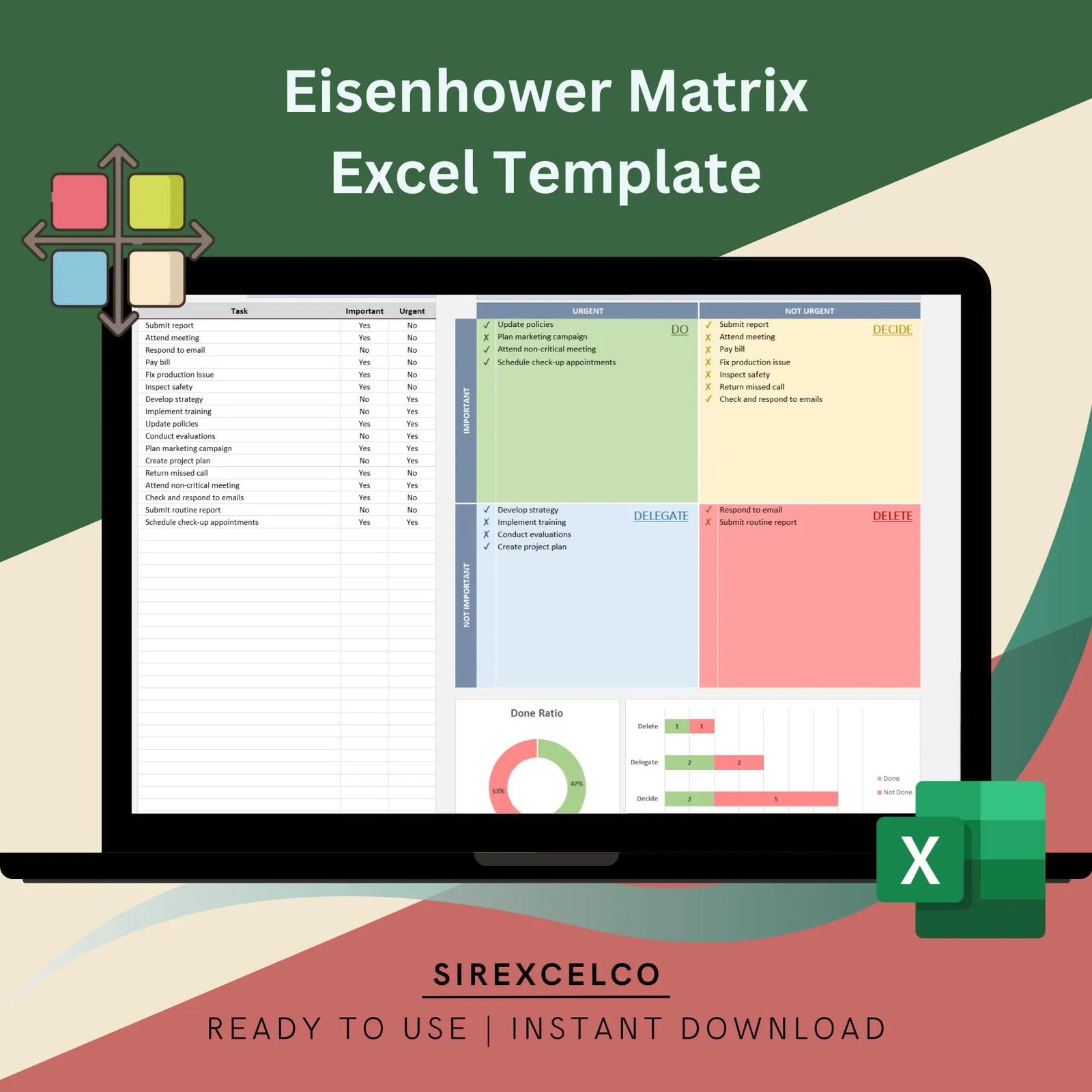
Designed to help you prioritize tasks efficiently, this template categorizes tasks into Do, Decide, Delegate, and Delete, based on the Eisenhower Matrix method. Simply enter your tasks into the database, and the dynamic charts provide a visual breakdown of priorities, enabling you to focus on what truly matters. Perfect for project managers, professionals, and anyone looking to optimize time management, this template offers an intuitive, easy-to-use tool for structured task prioritization and improved workflow.
Whether you’re a busy professional, a student with a packed schedule, or just someone who wants to get organized, our template is the perfect tool to help you achieve your goals. So why not give it a try? Head on over to our shop and check out our Eisenhower Decision Matrix Excel Template today!
Content:
• Excel file compatible with Excel 2007 and higher (and with sample data)
• Professional Design
• Works both on Mac and Windows
• No installation needed. Ready to use
• Dashboard with charts
• Eisenhower Matrix Template
• Easy to use
• 100% editable
• Excel file
• Instant download
• Friendly customer support for all your questions
License: Private Use (not for distribution or resale)
Eisenhower Matrix Task Management Excel Template – Excel Dashboard for Task Prioritization and Productivity
Stay organized and maximize productivity with our Eisenhower Matrix Task Management Excel Template. Designed for professionals, students, and teams, this powerful Excel tool enables you to prioritize your tasks effectively, manage time efficiently, and focus on what truly matters.
What is the Eisenhower Matrix?
The Eisenhower Matrix is a proven productivity method that categorizes tasks into four quadrants:
-
Do – High urgency, high importance tasks that require immediate attention
-
Decide – Important but not urgent tasks to schedule for later
-
Delegate – Urgent but less important tasks that can be assigned to others
-
Delete – Tasks that are neither urgent nor important and can be eliminated
By leveraging this framework in Excel, you can instantly visualize your task priorities and make informed decisions about time management.
Key Features & Benefits
1. Efficient Task Prioritization
-
Automatically categorize tasks into Do, Decide, Delegate, and Delete quadrants
-
Quickly identify high-priority items to boost productivity and prevent missed deadlines
2. Interactive Dashboard & Visual Analytics
-
Dynamic charts provide a clear, visual breakdown of task distribution
-
Track the number of tasks in each quadrant, analyze trends, and adjust priorities in real-time
-
Perfect for team reporting, project management, and personal productivity tracking
3. User-Friendly & Fully Customizable
-
No advanced Excel skills required
-
Add, edit, or remove tasks and categories easily
-
Customize charts, colors, and layouts to match personal or corporate branding
4. Cross-Platform Compatibility
-
Works on Windows and Mac with Microsoft Excel 2007 or higher
-
No installation, plugins, or additional software required
-
Immediate access with digital download
5. Ideal for Professionals, Teams, and Students
-
Project managers, team leaders, and business owners can optimize workflow
-
Students can organize study schedules and assignments
-
Anyone with a busy schedule can reduce stress and focus on meaningful tasks
Additional Benefits
-
Time Management Made Simple: Organize your tasks for each day, week, or month with ease
-
Improved Decision-Making: Quickly decide which tasks to prioritize, delegate, or remove
-
Increased Productivity: Spend more time on high-impact activities and less on unnecessary tasks
-
Visual & Actionable Insights: The dashboard transforms raw task data into actionable insights at a glance
What’s Included
-
Excel file compatible with Excel 2007 and higher
-
Pre-built dashboard with dynamic charts
-
Editable task tracker using the Eisenhower Matrix method
-
Sample data included for quick start
-
Instant download for immediate use
-
Friendly customer support for any questions
License
-
For private use only (not for resale or distribution)
This Eisenhower Matrix Task Management Excel Template is a comprehensive tool designed to streamline task prioritization, enhance productivity, and provide a visually appealing way to track your tasks. Start managing your workload smarter and more efficiently today!
General Inquiries
There are no inquiries yet.


Reviews
There are no reviews yet.