
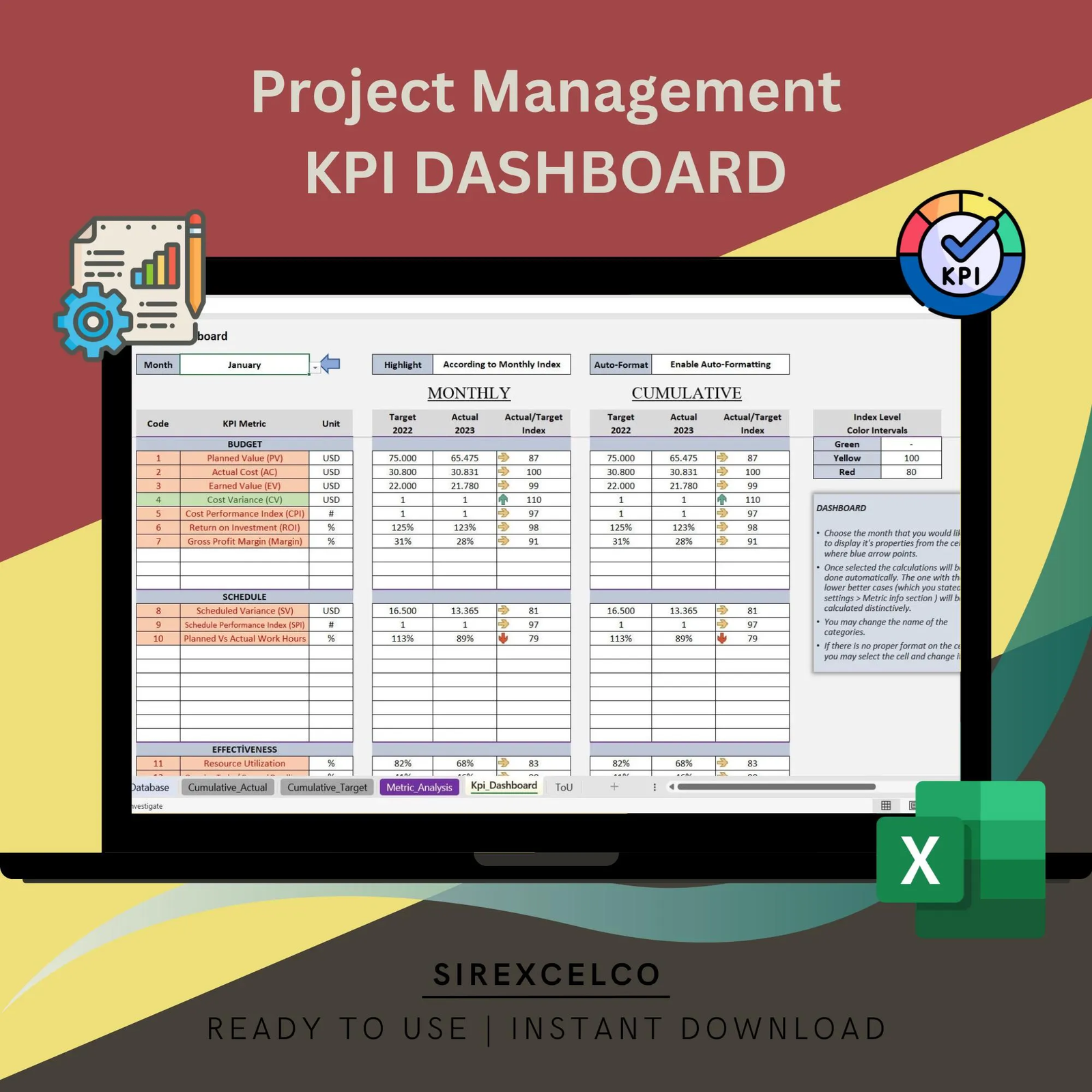
Project Management KPI Report Excel Template | Track Monthly and Cumulative Metrics | Dynamic Charts & Performance Analysis
$ 35
Take control of your projects with the Project Management KPI Report Excel Template!
For more details about the template, check the link below;
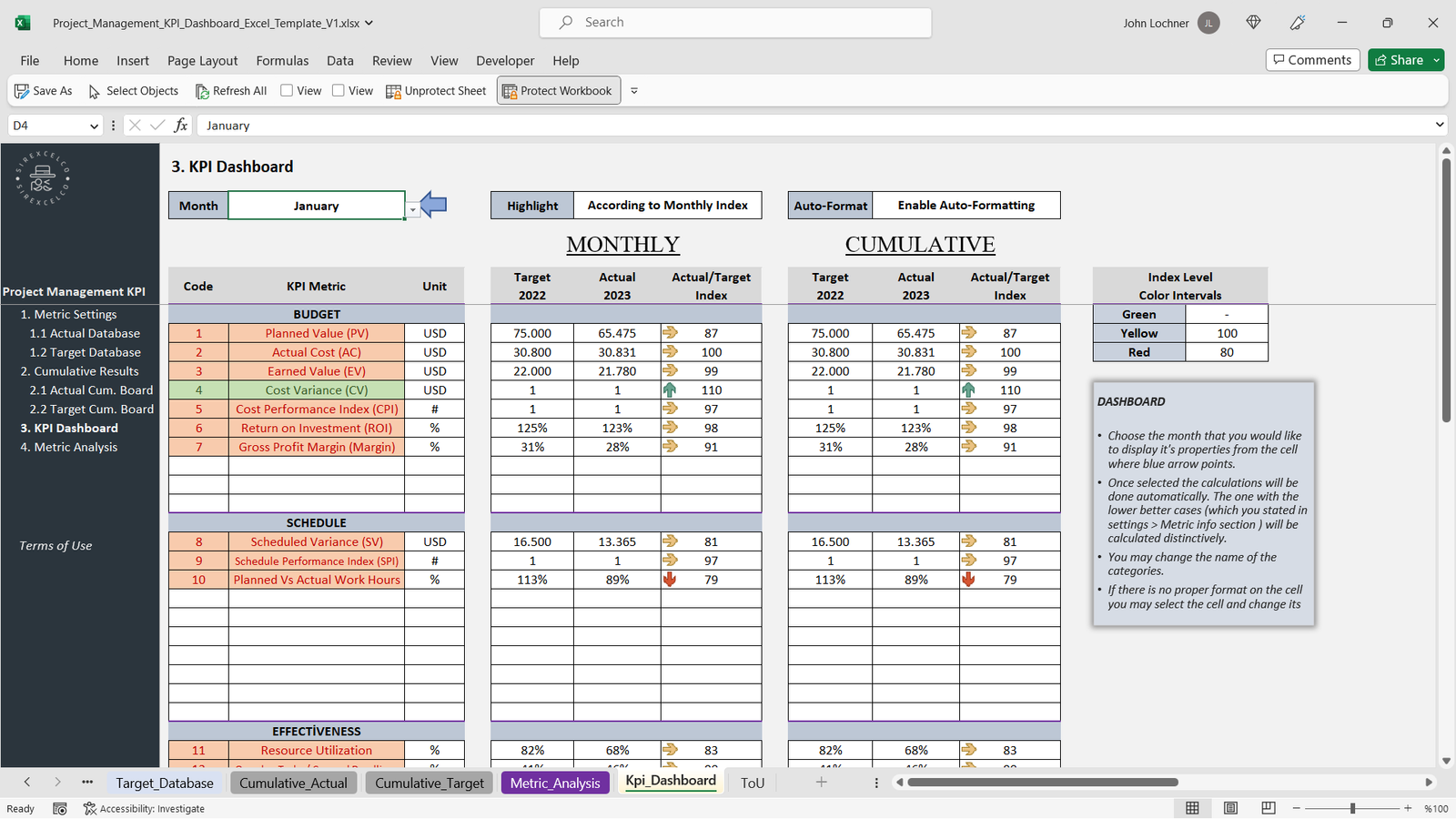
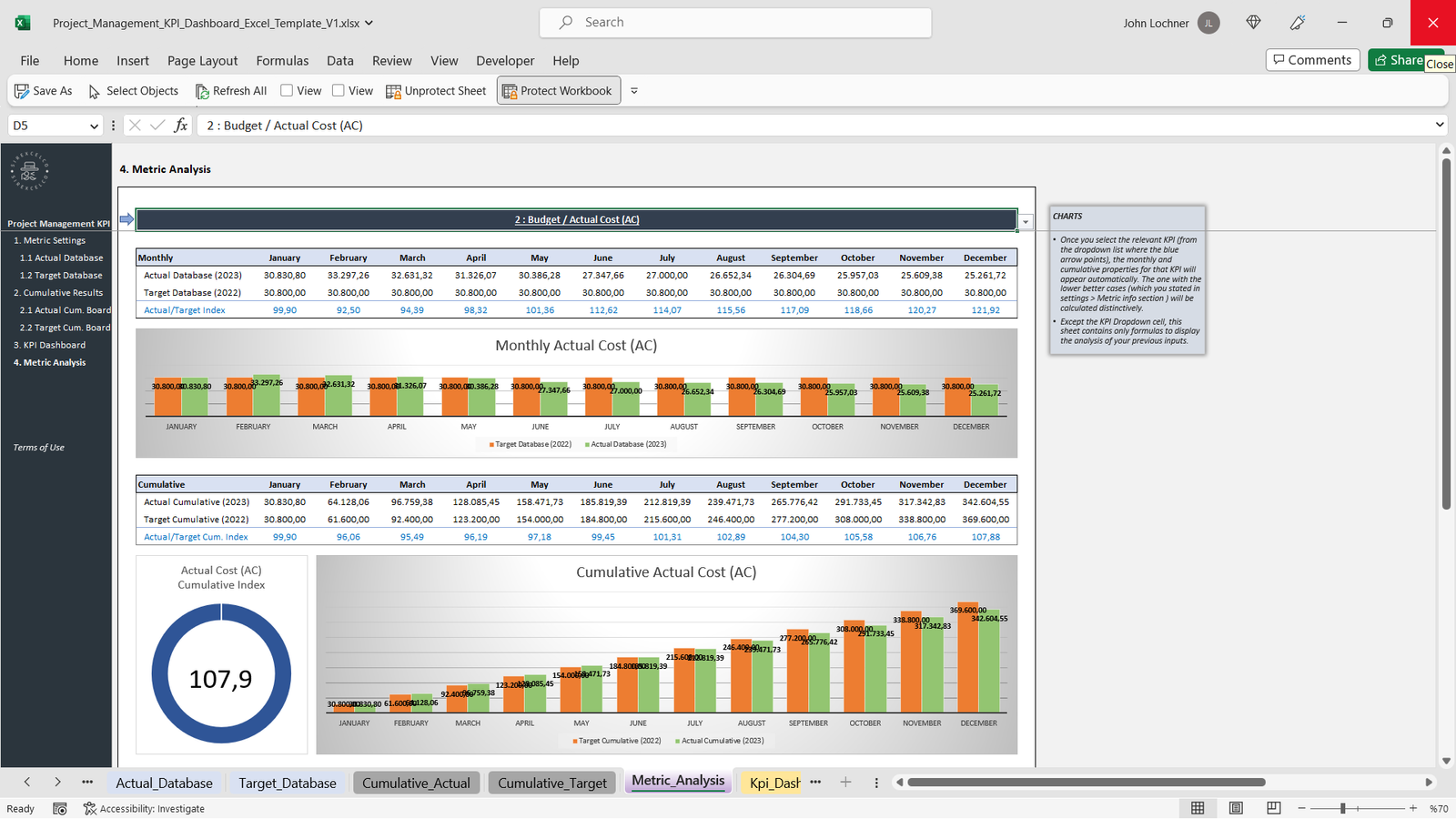
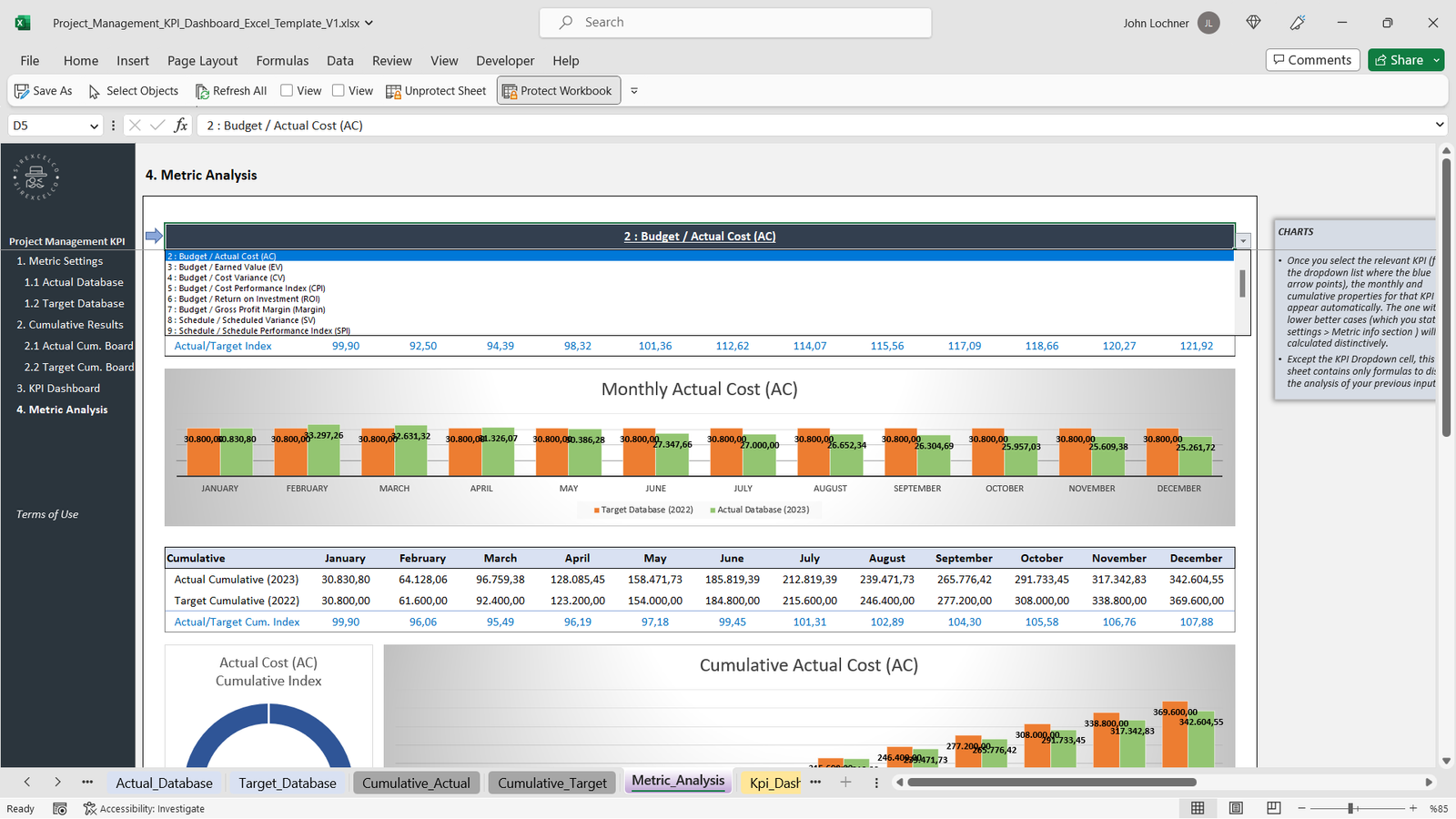
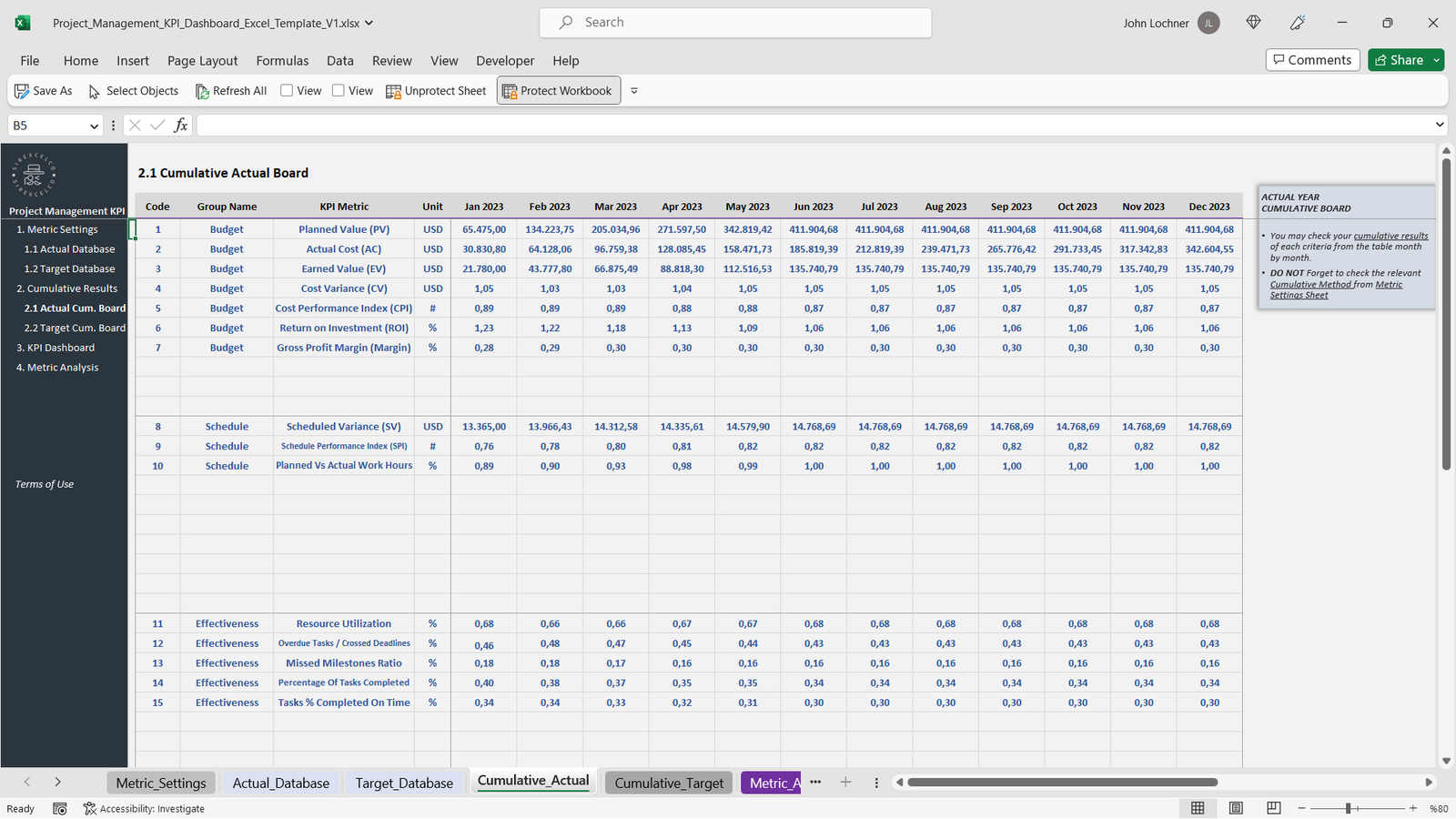
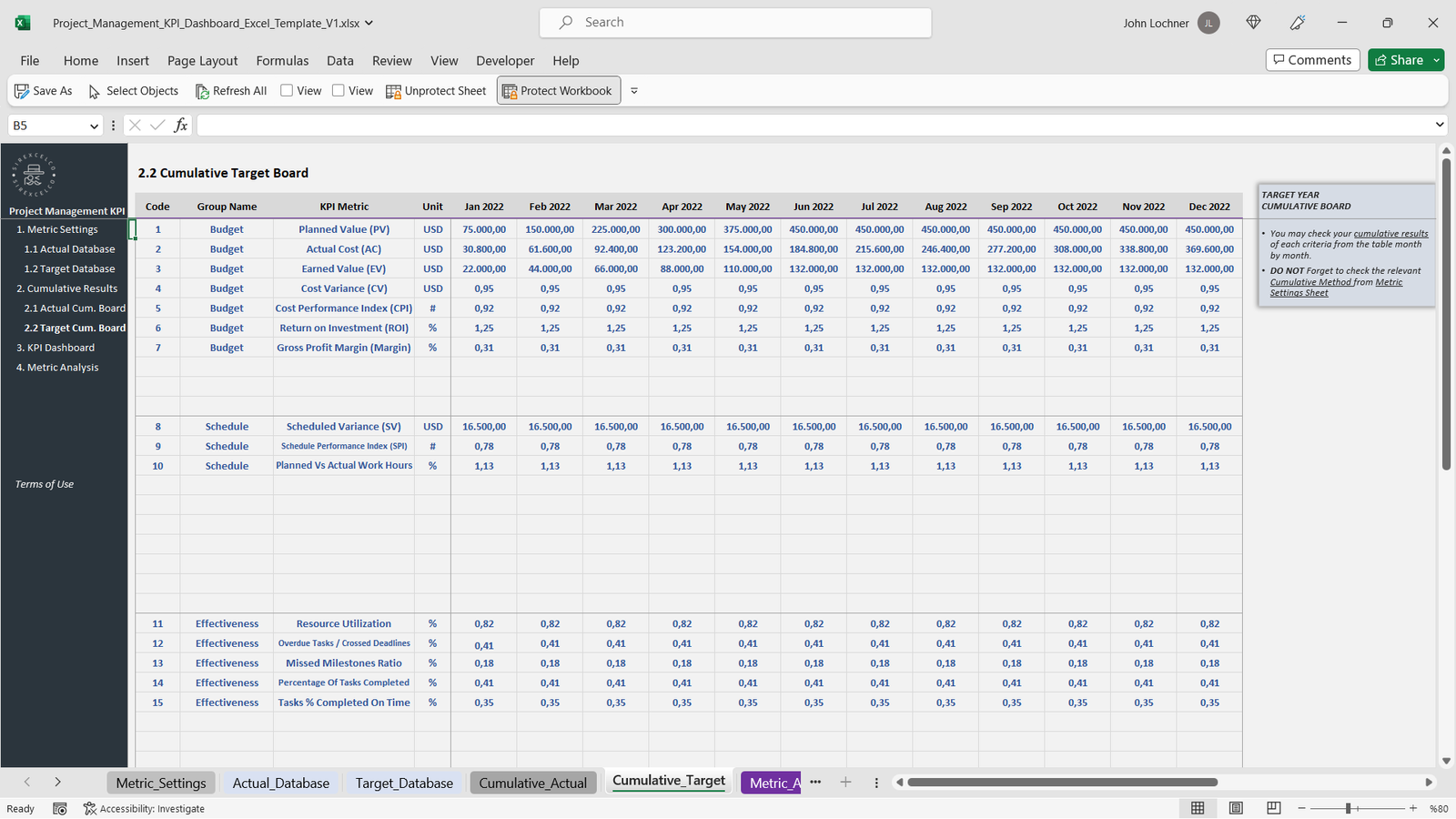
This template makes it easy to monitor your project performance by tracking key metrics month by month and cumulatively. Whether you need to compare target metrics with actual results or visualize progress through dynamic charts, this tool simplifies the process for project managers, team leaders, and business professionals.
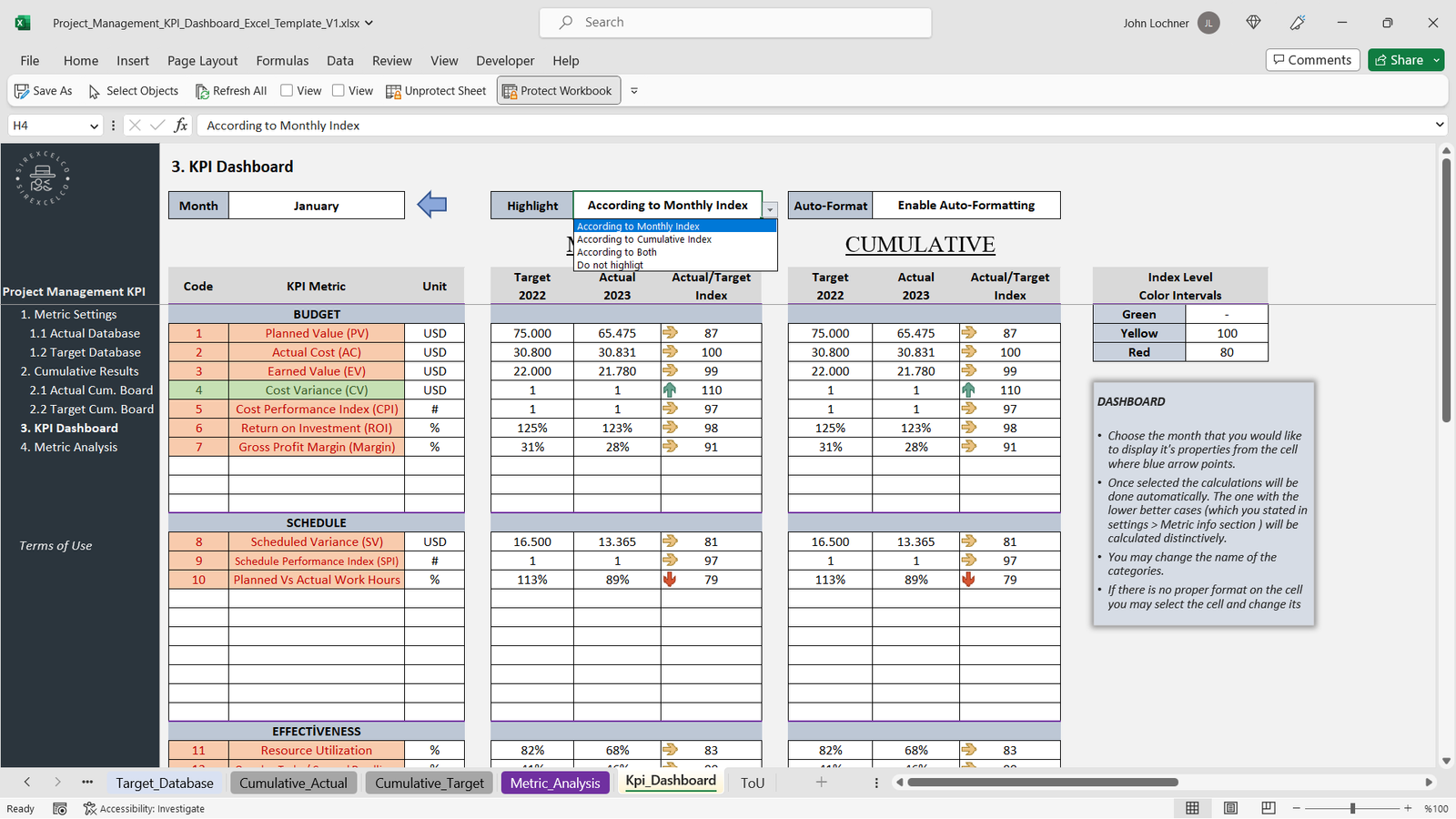
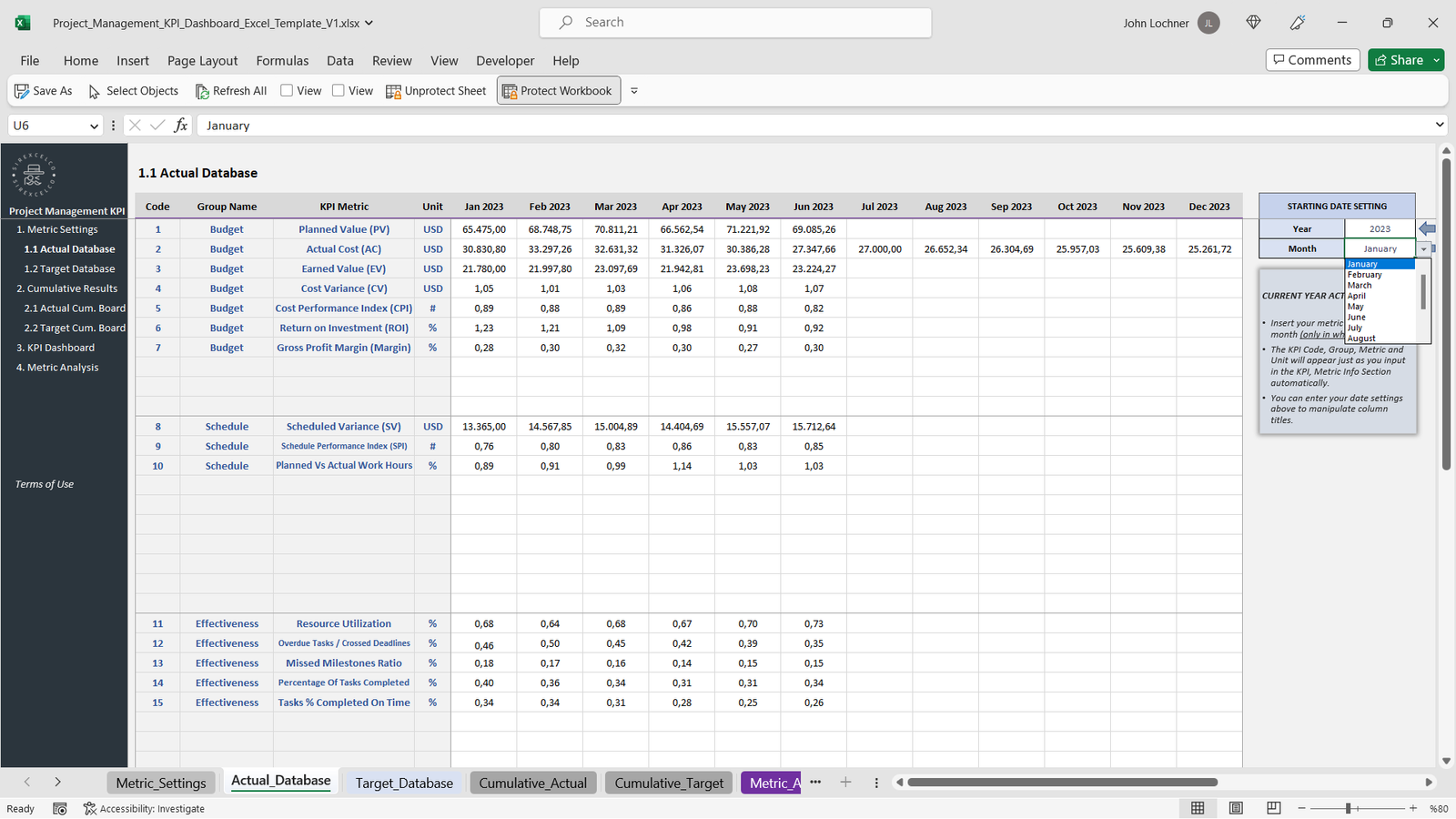
No advanced Excel skills are needed to use this fully customizable template. Simply input your project data, choose the metric you want to focus on, and the template will automatically generate reports and charts to keep your projects on track.
Key Features:
Track project management KPIs monthly and cumulatively
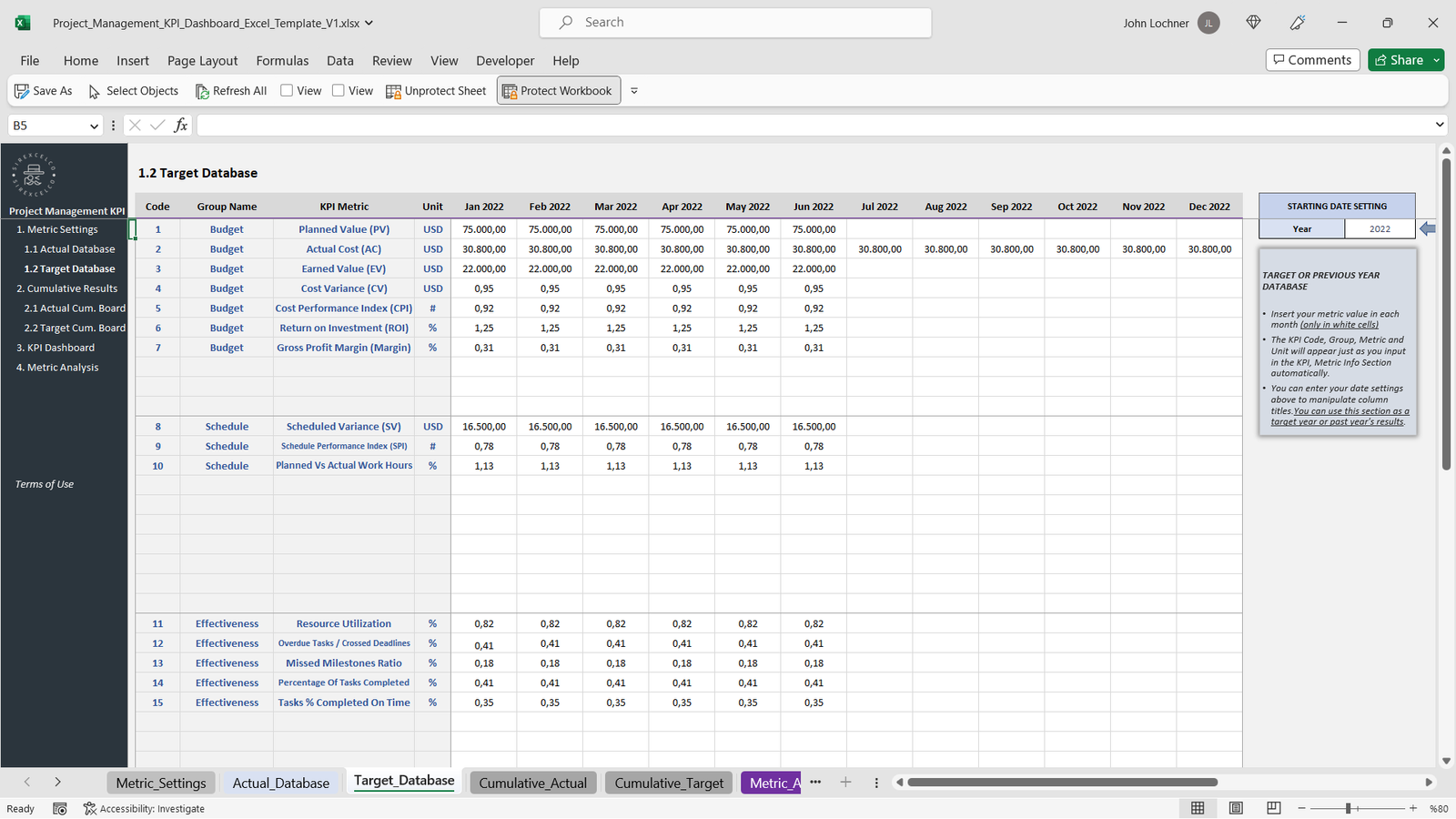
Compare target vs actual performance metrics
Dynamic charts that update automatically based on the selected metrics
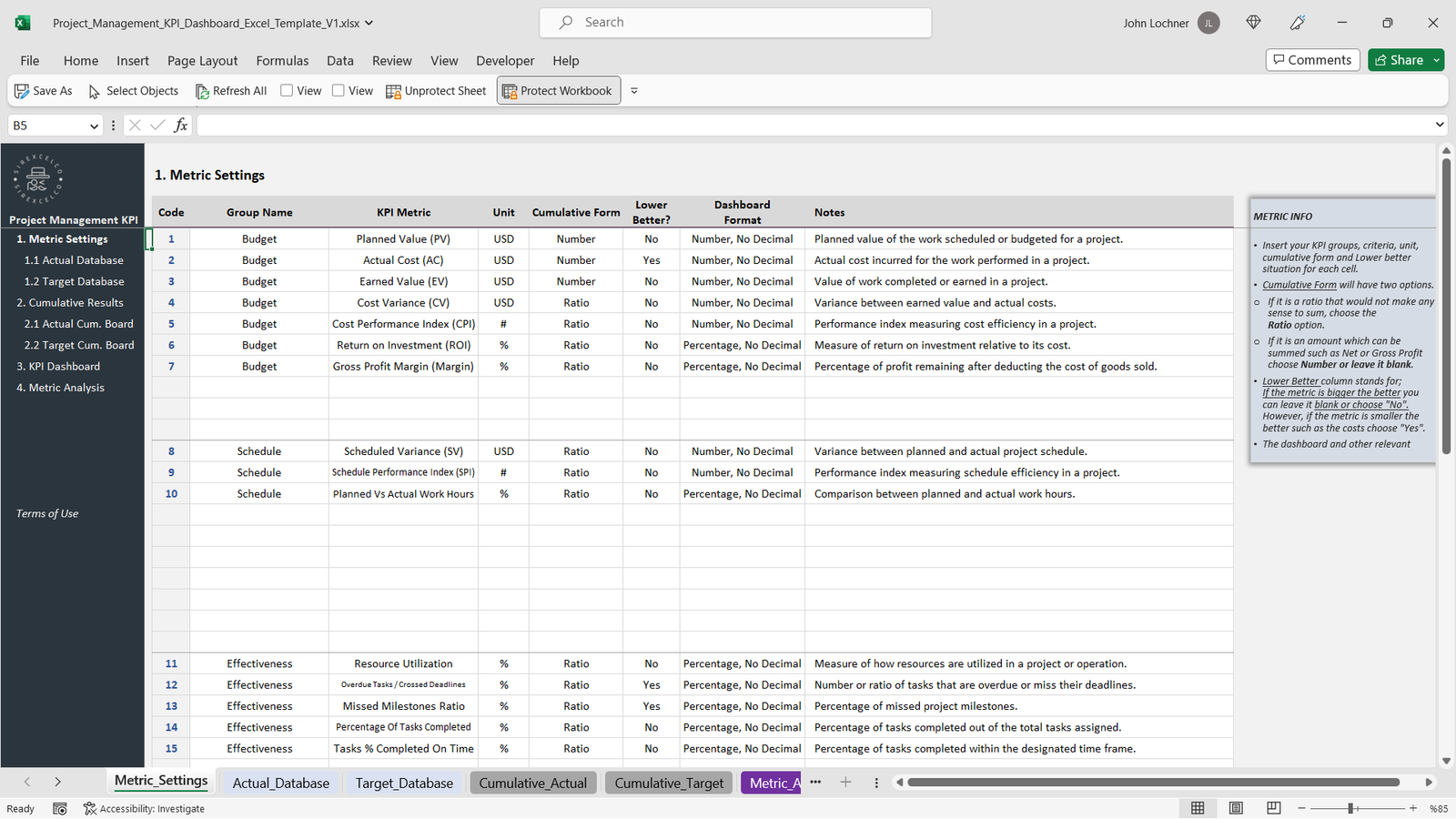
User-friendly and fully customizable to your project needs
Ideal for project managers, team leads, and business professionals
No advanced Excel knowledge required
This template helps you make data-driven decisions and ensures that your projects are completed efficiently and on time.
Content:
• Excel file compatible with Excel 2010 and higher (and with sample data)
• Professional Design
• Works both on Mac and Windows
• No installation needed. Ready to use
• Dashboard with charts
• Project Management KPI Dashboard Template
• Easy to use
• 100% editable
• Excel file
• Instant download
• Friendly customer support for all your questions
License: Private Use (not for distribution or resale)
Project Management KPI Report Excel Template
Take control of your projects with our Project Management KPI Report Excel Template – the ultimate tool for project managers, team leaders, and business professionals who want to streamline reporting and track performance with precision.
This easy-to-use Excel template helps you monitor project KPIs on a monthly and cumulative basis, providing a clear view of progress over time. Whether you’re managing a single project or multiple initiatives, this template empowers you to compare target vs. actual performance, identify bottlenecks, and make data-driven decisions quickly.
Why Choose This Template?
-
📊 Track Key KPIs – Stay on top of timelines, budgets, and performance metrics.
-
🎯 Target vs. Actual Comparison – Instantly identify gaps between planned and achieved results.
-
📈 Dynamic Charts & Reports – Automatically update visual dashboards when you enter new data.
-
⚡ No Advanced Skills Required – Built for ease of use, even if you’re not an Excel expert.
-
🛠️ Fully Customizable – Adjust KPIs, timeframes, and visuals to fit your unique project needs.
Perfect For:
-
Project Managers looking to ensure timely delivery and budget control.
-
Team Leaders who need to communicate performance to stakeholders.
-
Business Professionals managing multiple projects and reporting requirements.
Content Includes:
-
Excel file compatible with Excel 2010 and higher (with sample data).
-
Professional, user-friendly design.
-
Works on both Mac and Windows.
-
No installation needed – ready to use instantly.
-
Interactive dashboard with dynamic charts.
-
Fully editable and customizable.
-
Instant download with friendly customer support.
License
🔒 Private Use Only – not for distribution or resale.
With the Project Management KPI Dashboard Excel Template, you’ll save time, improve accuracy, and gain full visibility into your projects – ensuring success every step of the way.
General Inquiries
There are no inquiries yet.


Reviews
There are no reviews yet.