
Dynamic Gantt Chart Excel Template for Team Work Management | Easy Database Entry & Tracking | Visual Project Planning Tool
$ 8
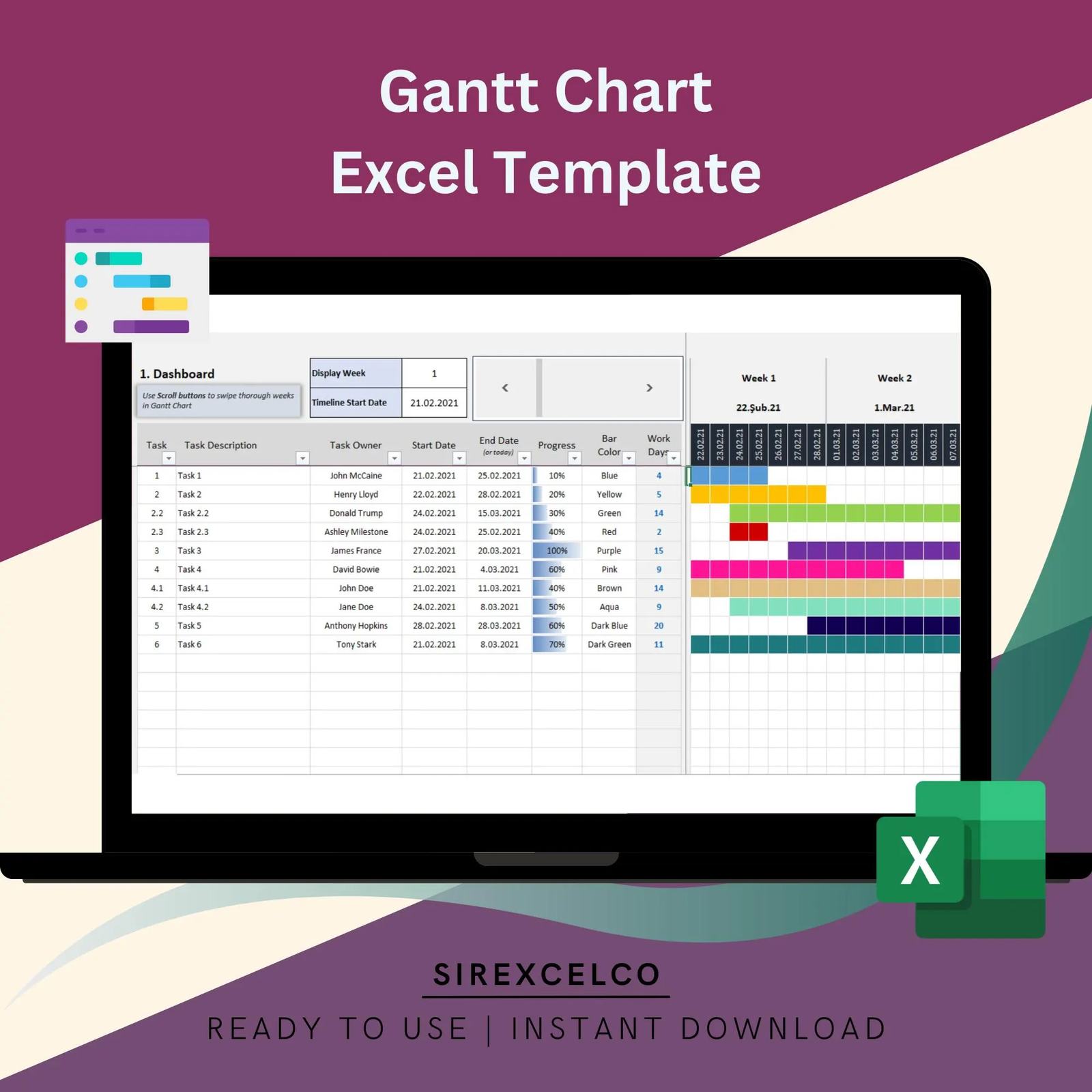
Efficiently manage your team’s projects with this dynamic Gantt Chart Excel Template.
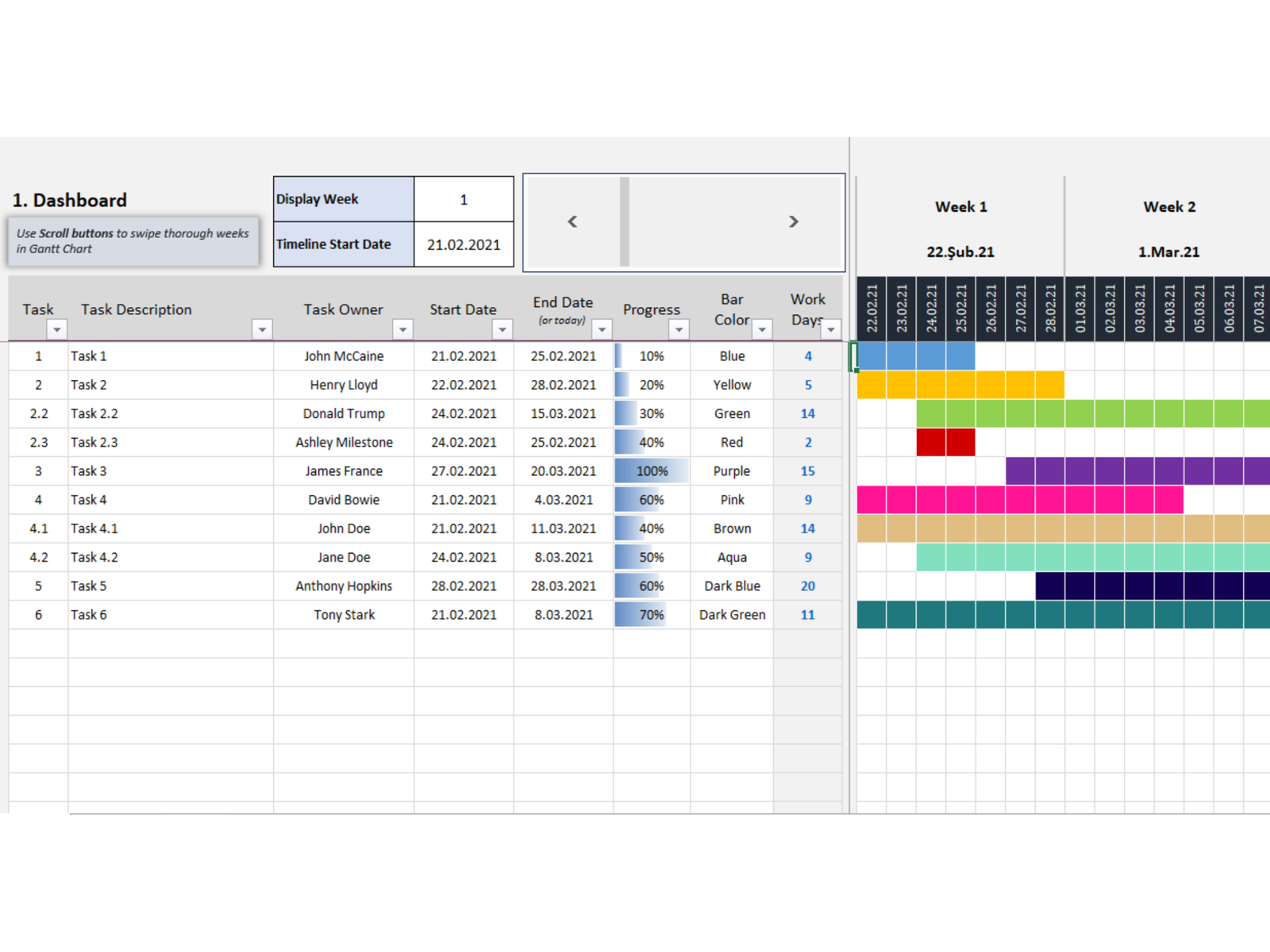
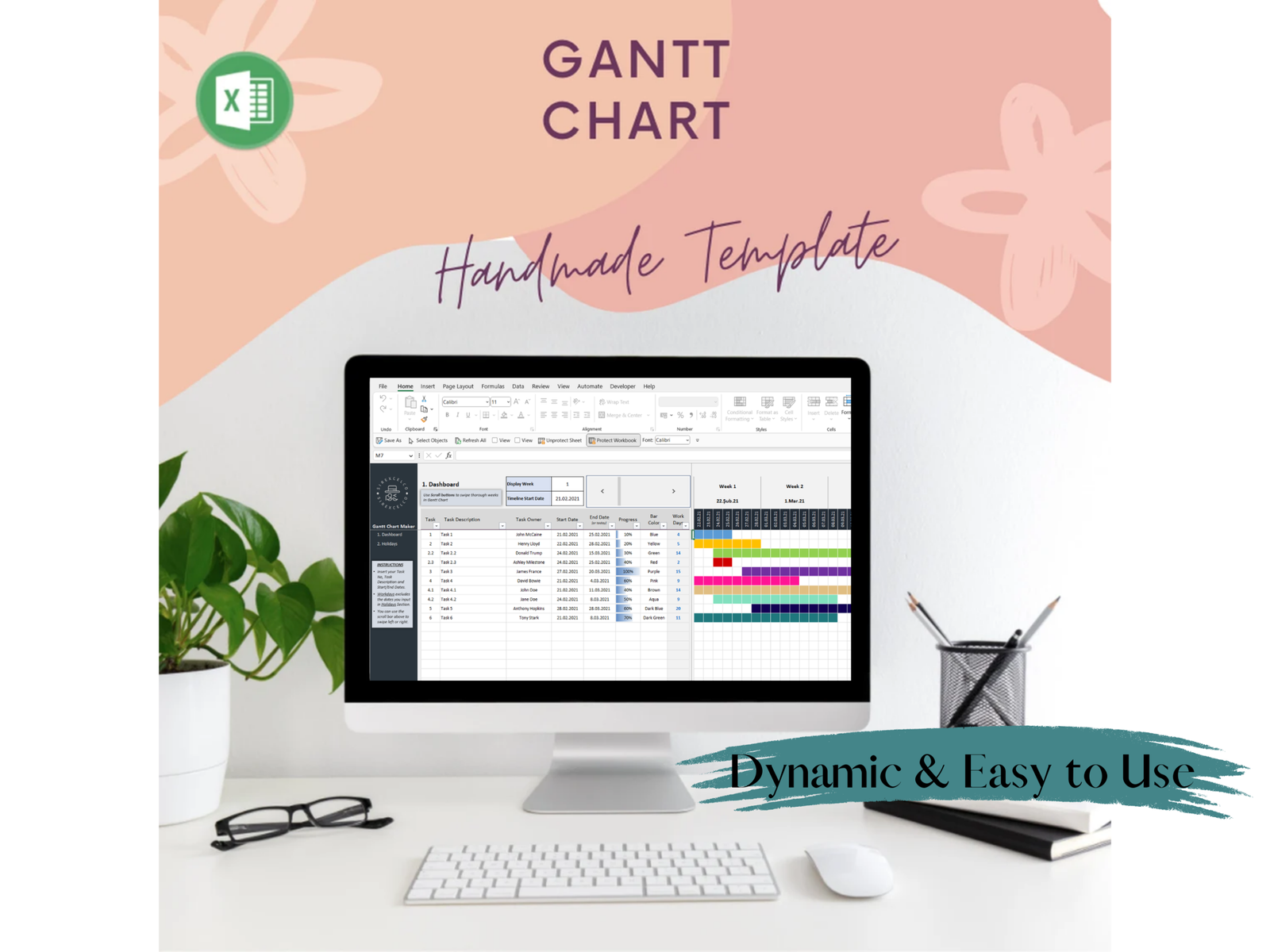
Perfect for tracking tasks and deadlines, this template allows you to enter all your team’s work into a database and instantly visualize it on a Gantt chart. Ideal for project managers and team leaders looking for a simple yet effective tool for organizing workloads and timelines. With dynamic charts and easy-to-use functionality, this template streamlines project tracking without the need for complex software.
For more details about the template, check the link below;
Best for:
• Talent Professionals
• HR Professionals
• All types of companies
Content:
• Excel file compatible with Excel 2007 and higher (and with sample data)
• Professional Design
• Works both on Mac and Windows
• No installation needed. Ready to use
• Gantt Chart Excel Template
• Easy to use
• 100% editable
• Excel file
• Instant download
• Friendly customer support for all your questions
License: Private Use (not for distribution or resale)
Dynamic Gantt Chart Excel Template
Efficient project management is the key to successful outcomes. The Dynamic Gantt Chart Excel Template empowers project managers, team leaders, and professionals to efficiently organize tasks, track progress, and meet deadlines — all within a simple, user-friendly spreadsheet.
Built with care by Sirexcelco, this template combines professional design with practical functionality, making it an ideal choice for those who want the power of a Gantt chart without the complexity of advanced project management software.
Why Use This Gantt Chart Template?
-
Streamlined Planning – Organize your team’s tasks and milestones in one central database.
-
Instant Visualization – Convert raw task data into a clear, dynamic Gantt chart at the click of a button.
-
Better Collaboration – Keep your team aligned by tracking responsibilities and deadlines.
-
Time-Saving – Avoid the steep learning curve of complex software while still enjoying professional-level project management.
-
Versatile Use – Suitable for HR teams, talent managers, startups, and established businesses across industries.
Best For
-
Talent Professionals – Manage recruitment pipelines, onboarding, and HR projects.
-
HR Professionals – Organize employee training schedules and development programs.
-
Project Managers & Team Leaders – Oversee projects of all sizes across departments.
-
Companies of Any Size – From small teams to larger organizations looking for efficiency.
Key Features
-
Excel File – Compatible with Excel 2007 and higher.
-
Dynamic Gantt Chart – Automatically updates based on task inputs.
-
Professional Design – Clean and modern layout for clarity and ease of use.
-
Sample Data Included – Get started quickly and see how the template works.
-
Cross-Platform – Works seamlessly on both Mac and Windows.
-
No Installation Required – Ready to use instantly after download.
-
Easy to Use & 100% Editable – Customize for your team’s unique needs.
-
Instant Download – Immediate access once purchased.
-
Friendly Support – Customer support available to help with your questions.
How It Works
-
Download the Template – Instant access after purchase.
-
Enter Your Tasks – Add project name, start date, end date, and assignee.
-
View the Gantt Chart – Watch your data transform into a professional project timeline.
-
Track Progress – Monitor deadlines, adjust timelines, and stay on top of deliverables.
License
-
Private Use Only – Not for distribution or resale.
Take Control of Your Projects
Say goodbye to messy spreadsheets and overly complex tools. With the Dynamic Gantt Chart Excel Template, you’ll simplify project management, boost team productivity, and deliver results with confidence.
General Inquiries
There are no inquiries yet.


Reviews
There are no reviews yet.